It is currently Sun Aug 09, 2026 1:36 pm


All times are UTC - 5 hours [ DST ]


Post new topic Reply to topic  [ 72 posts ]  Go to page 1, 2, 3, 4  Next
Author Message
 Post subject: Spinning cube???
PostPosted: Fri Jul 22, 2011 5:16 am  (#1) 
Offline
GimpChat Member
User avatar

Joined: Jul 08, 2011
Posts: 285
GIMP Version: 2.6.11
Operating System: Windows
OS Version: XP - SP3
GIMP Experience: Beginner Level


I want to know is there a tutorial for spinning cube ( .... when you create a rubic cube (or any other cube) is there any way to animate it so that she can rotate.....just like spinning globe...)???

_________________
Image

My Flickr
http://anaplus.deviantart.com/


Share on Facebook Share on Twitter Share on Orkut Share on Digg Share on MySpace Share on Delicious Share on Technorati
Top
 Post subject: Re: Spinning cube???
PostPosted: Fri Jul 22, 2011 6:29 am  (#2) 
Offline
Retired Staff
User avatar

Joined: May 22, 2008
Posts: 6946
Location: Somewhere in GIMP
ccbarr wrote a tutorial that is in Gimp Talk for a spinning striped pole. Unfortunately Gimp Talk is not accessible.

That tutorial could be utilized but instead of mapping to a cylinder, it could be mapped to the box in Filters > Map > Map Object. It involves the use of GAP.

I have a printed copy of the tutorial and will see how it works with mapping the box. If it works well, I will attempt to write the tutorial using a box. Keep in mind that my tutorial will not be anywhere near the quality of a ccbarr tutorial.

http://www.gimptalk.com/index.php?/topic/43857-gap-spinning-striped-pole/

_________________
Image
World War IV will be fought with sticks and stones. - Albert Einstein


Top
 Post subject: Re: Spinning cube???
PostPosted: Fri Jul 22, 2011 6:40 am  (#3) 
Offline
GimpChat Member
User avatar

Joined: Jul 08, 2011
Posts: 285
Oregonian wrote:
ccbarr wrote a tutorial that is in Gimp Talk for a spinning striped pole. Unfortunately Gimp Talk is not accessible.

That tutorial could be utilized but instead of mapping to a cylinder, it could be mapped to the box in Filters > Map > Map Object. It involves the use of GAP.

I have a printed copy of the tutorial and will see how it works with mapping the box. If it works well, I will attempt to write the tutorial using a box. Keep in mind that my tutorial will not be anywhere near the quality of a ccbarr tutorial.

http://www.gimptalk.com/index.php?/topic/43857-gap-spinning-striped-pole/

Thank you "O".I can't wait to see your tutorial...and don't worry....i know it's gonna be great just like other tutorials that you wrote. :)

_________________
Image

My Flickr
http://anaplus.deviantart.com/


Top
 Post subject: Re: Spinning cube???
PostPosted: Fri Jul 22, 2011 6:42 am  (#4) 
Offline
GimpChat Member
User avatar

Joined: Apr 07, 2010
Posts: 14182
I get an error when I try to open that link O......

_________________
Image


Top
 Post subject: Re: Spinning cube???
PostPosted: Fri Jul 22, 2011 6:43 am  (#5) 
Offline
Retired Staff
User avatar

Joined: May 22, 2008
Posts: 6946
Location: Somewhere in GIMP
Yes, as I said in my initial post, Gimp Talk is not accessible.

I was hoping that they could get it fixed and at some future date that link would work.

_________________
Image
World War IV will be fought with sticks and stones. - Albert Einstein


Top
 Post subject: Re: Spinning cube???
PostPosted: Fri Jul 22, 2011 10:09 am  (#6) 
Offline
Retired Staff
User avatar

Joined: May 22, 2008
Posts: 6946
Location: Somewhere in GIMP
This didn't work out well. I think map object did not like having 6 color layers. I'll try it again with fewer fill layers. I deleted 10 all purple layers to cut down on the size. Interesting though. Back to the drawing board.
Image

_________________
Image
World War IV will be fought with sticks and stones. - Albert Einstein


Top
 Post subject: Re: Spinning cube???
PostPosted: Fri Jul 22, 2011 10:35 am  (#7) 
Offline
GimpChat Member
User avatar

Joined: Apr 07, 2010
Posts: 14182
Wow I think it is great, O. I think is really nice...
I looked for the CCbarr barber pole tute and I have it on hard copy but not saved.....

_________________
Image


Top
 Post subject: Re: Spinning cube???
PostPosted: Fri Jul 22, 2011 10:40 am  (#8) 
Offline
GimpChat Member
User avatar

Joined: Jul 08, 2011
Posts: 285
Yes,I agree with Molly :) it's pretty nice.

_________________
Image

My Flickr
http://anaplus.deviantart.com/


Top
 Post subject: Re: Spinning cube???
PostPosted: Fri Jul 22, 2011 10:57 am  (#9) 
Offline
GimpChat Member
User avatar

Joined: Jul 08, 2011
Posts: 285
I found this script on Deviantart.
i used that script and followed the tutorial for spinning globe and this is what i've got (I don't like how it turned out):

Image

_________________
Image

My Flickr
http://anaplus.deviantart.com/


Top
 Post subject: Re: Spinning cube???
PostPosted: Fri Jul 22, 2011 11:35 am  (#10) 
Offline
GimpChat Member
User avatar

Joined: Apr 07, 2010
Posts: 14182
Quote:
I don't like how it turned out):


I don't know why, I think it is a nice first try.... pretty cool...

_________________
Image


Top
 Post subject: Re: Spinning cube???
PostPosted: Fri Jul 22, 2011 11:50 am  (#11) 
Offline
GimpChat Member
User avatar

Joined: Jul 08, 2011
Posts: 285
molly wrote:
Quote:
I don't like how it turned out):


I don't know why, I think it is a nice first try.... pretty cool...

thank you Molly :).... when i said that i don't like how it turned out i meant on spinning....i like how did "O" created her cube.

_________________
Image

My Flickr
http://anaplus.deviantart.com/


Top
 Post subject: Re: Spinning cube???
PostPosted: Fri Jul 22, 2011 12:13 pm  (#12) 
Offline
GimpChat Member
User avatar

Joined: Apr 07, 2010
Posts: 14182
that will come. I can't believe how fast you are coming along, you will love that spinning barber pole tute......

_________________
Image


Top
 Post subject: Re: Spinning cube???
PostPosted: Fri Jul 22, 2011 12:27 pm  (#13) 
Offline
GimpChat Member
User avatar

Joined: Oct 07, 2010
Posts: 439
Location: home/Nixnine/.gimp-2.0/scripts/nixnine.scm
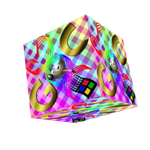
Gmic has a sequence option -- sequence/3d object -- which can do a spinning cube. Uses only 1 image though.
Attachment:
cube.gif
cube.gif [ 2.53 MiB | Viewed 4146 times ]

_________________
I refuse to be confused, but am often confused at this refusal.


Top
 Post subject: Re: Spinning cube???
PostPosted: Fri Jul 22, 2011 1:09 pm  (#14) 
Offline
GimpChat Member
User avatar

Joined: Jul 08, 2011
Posts: 285
nixnine wrote:
Gmic has a sequence option -- sequence/3d object -- which can do a spinning cube. Uses only 1 image though.
Attachment:
cube.gif

wow...that's great Nixnine :) this is what i've been looking for... but.... i don't have Gmic in my gimp :(

_________________
Image

My Flickr
http://anaplus.deviantart.com/


Top
 Post subject: Re: Spinning cube???
PostPosted: Fri Jul 22, 2011 1:21 pm  (#15) 
Offline
GimpChat Member
User avatar

Joined: Oct 07, 2010
Posts: 439
Location: home/Nixnine/.gimp-2.0/scripts/nixnine.scm
Is there a reason why you don't have it? It is very useful.

_________________
I refuse to be confused, but am often confused at this refusal.


Top
 Post subject: Re: Spinning cube???
PostPosted: Fri Jul 22, 2011 1:22 pm  (#16) 
Offline
Retired Staff
User avatar

Joined: May 22, 2008
Posts: 6946
Location: Somewhere in GIMP
nixnine wrote:
Gmic has a sequence option -- sequence/3d object -- which can do a spinning cube. Uses only 1 image though.
Nixnine, that works ever so much better than what I'm trying to do. The Map Object filter just chews up my attempts and takes over two hours to do it.

This is the initial cube that was the top layer in the animated one below.

Image

This is the resulting animation of my second attempt.

Image

_________________
Image
World War IV will be fought with sticks and stones. - Albert Einstein


Top
 Post subject: Re: Spinning cube???
PostPosted: Fri Jul 22, 2011 1:48 pm  (#17) 
Offline
GimpChat Member
User avatar

Joined: Apr 07, 2010
Posts: 14182
Nixnine that is very nice. I must use GMIC more.....

_________________
Image


Top
 Post subject: Re: Spinning cube???
PostPosted: Fri Jul 22, 2011 2:00 pm  (#18) 
Offline
GimpChat Member
User avatar

Joined: Jul 08, 2011
Posts: 285
nixnine wrote:
Is there a reason why you don't have it? It is very useful.

i didn't know about Gmic at all untill i didn't came here:)

_________________
Image

My Flickr
http://anaplus.deviantart.com/


Top
 Post subject: Re: Spinning cube???
PostPosted: Fri Jul 22, 2011 2:05 pm  (#19) 
Offline
GimpChat Member
User avatar

Joined: Apr 07, 2010
Posts: 14182
Here is the link to it if you want it ana....... Even has Mahvin's logo in it
http://gmic.sourceforge.net/

_________________
Image


Top
 Post subject: Re: Spinning cube???
PostPosted: Fri Jul 22, 2011 2:10 pm  (#20) 
Offline
GimpChat Member
User avatar

Joined: Jul 08, 2011
Posts: 285
molly wrote:
Here is the link to it if you want it ana....... Even has Mahvin's logo in it
http://gmic.sourceforge.net/

does it take to much memory from computer,will it slow down comp.??????
i am asking because my computer is already starting to freeze when i use gimp :(

_________________
Image

My Flickr
http://anaplus.deviantart.com/


Last edited by Ana on Fri Jul 22, 2011 2:18 pm, edited 1 time in total.

Top
Post new topic Reply to topic  [ 72 posts ]  Go to page 1, 2, 3, 4  Next

All times are UTC - 5 hours [ DST ]


* Login  


Powered by phpBB3 © phpBB Group