It is currently Tue May 21, 2013 3:43 pm


Latest GIMP Scripts & Plug-ins

All times are UTC - 5 hours [ DST ]


Post new topic Reply to topic  [ 167 posts ]  Go to page Previous  1 ... 4, 5, 6, 7, 8, 9, 10 ... 17  Next
Author Message
 Post subject: Re: Iccii Layer Effects updated with vignette and new location
PostPosted: Mon Mar 04, 2013 9:36 pm  (#61) 
Offline
GimpChat Member
User avatar

Joined: Jul 17, 2012
Posts: 1793
Location: Germany - NRW
im on win7 64bit and i have the same problem as molly
it crashes and i cant take a screenshot because it doesnt allow me

_________________
Image
gimp-science-labs


Top
 Profile  
 

 Post subject: Re: Iccii Layer Effects updated with vignette and new location
PostPosted: Mon Mar 04, 2013 9:41 pm  (#62) 
Offline
Gimp Scripts Editor
User avatar

Joined: Feb 18, 2011
Posts: 1556
Location: Australia
Esper could you download the script again and try gradient overlay on a text layer

_________________
Image


Top
 Profile  
 
 Post subject: Re: Iccii Layer Effects updated with vignette and new location
PostPosted: Mon Mar 04, 2013 10:38 pm  (#63) 
Offline
GimpChat Member
User avatar

Joined: Jul 17, 2012
Posts: 1793
Location: Germany - NRW
it crashes as soon as i click a gradient from the list of the pop up menu :(

EDIT:
wait
it crashed like five times in a row, and suddenly it works
i didnt change anything

_________________
Image
gimp-science-labs


Top
 Profile  
 
 Post subject: Re: Iccii Layer Effects updated with vignette and new location
PostPosted: Mon Mar 04, 2013 10:58 pm  (#64) 
Offline
Gimp Scripts Editor
User avatar

Joined: Feb 18, 2011
Posts: 1556
Location: Australia
Esper I see you downloaded a fresh copy that is the version Right from my files and I've tried it in
2.6, 2.8 32bit and 64bit, 2.8.2 32bit and 64bit, but not in my 4 versions of gimppainter or 2.9 32 bit and 64bit I've tried everything to get it to fail or produce an error :gaah

_________________
Image


Top
 Profile  
 
 Post subject: Re: Iccii Layer Effects updated with vignette and new location
PostPosted: Mon Mar 04, 2013 11:09 pm  (#65) 
Offline
GimpChat Member
User avatar

Joined: Feb 20, 2013
Posts: 1159
I have used all the functions of the last posted Iccii layer effects. No crashing in win7 64bit....none.


Last edited by gramg on Sat Apr 20, 2013 12:54 am, edited 1 time in total.

Top
 Profile  
 
 Post subject: Re: Iccii Layer Effects updated with vignette and new location
PostPosted: Mon Mar 04, 2013 11:14 pm  (#66) 
Offline
Gimp Scripts Editor
User avatar

Joined: Feb 18, 2011
Posts: 1556
Location: Australia
Gramg did you get the version I just posted simply replace your one with the one dated March 5th

also you should not get any errors in your error console

_________________
Image


Top
 Profile  
 
 Post subject: Re: Iccii Layer Effects updated with vignette and new location
PostPosted: Mon Mar 04, 2013 11:37 pm  (#67) 
Offline
GimpChat Member
User avatar

Joined: Feb 20, 2013
Posts: 1159
There were no errors. I replaced the old version where the sample two was under a Layers heading...which gave me two Layers headings...I was happy you changed that.
What I have been doing is....I can find the scripts I am thinking I need to remove and other parts in the folders for my gimp 2.8 portable version, and when I do...I take a snip shot of where they are...I take them out and put them on my desktop, then I restart gimp and see if it did what I hope for...if not, I put them back. I try to find everything by using a search for the main word of the process being used...to get everything out that goes with them. But, I think in this case it was just a matter of the .scm files...I do know... I messed with some that were layerfx too though...it got a little sticky...but all is good on my program.
I hope this helps in some way...sorry I can not say 'exactly' what I did.

Also, for anyone who might be interested to know...as it is working pretty good for me so far...I keep a copy of everything I have put into my gimp, plus everything I have taken out(in labeled folders, so I know what is what)...just in case I crash it.
I took the gap out of my 2.8(I know I got everything out, because I had a copy of everything that was put in), but I kept some of the extra .scm's that still worked...I went through them to make sure they still work for video and many still do. I have tested that and tested it and all is good...but I still could take more out OR put stuff back if I have to. I will keep my fingers crossed :)

I am running gap 2.6 on another 2.6 version of gimp and that works very well.


Last edited by gramg on Sat Apr 20, 2013 12:55 am, edited 6 times in total.

Top
 Profile  
 

 Post subject: Re: Iccii Layer Effects updated with vignette and new location
PostPosted: Mon Mar 04, 2013 11:40 pm  (#68) 
Offline
GimpChat Member
User avatar

Joined: Feb 20, 2013
Posts: 1159
The Iccii I have is 3.4.13...I got it earlier today.


Top
 Profile  
 
 Post subject: Re: Iccii Layer Effects updated with vignette and new location
PostPosted: Tue Mar 05, 2013 12:09 am  (#69) 
Offline
Gimp Scripts Editor
User avatar

Joined: Feb 18, 2011
Posts: 1556
Location: Australia
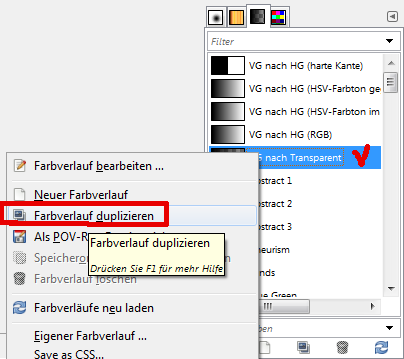
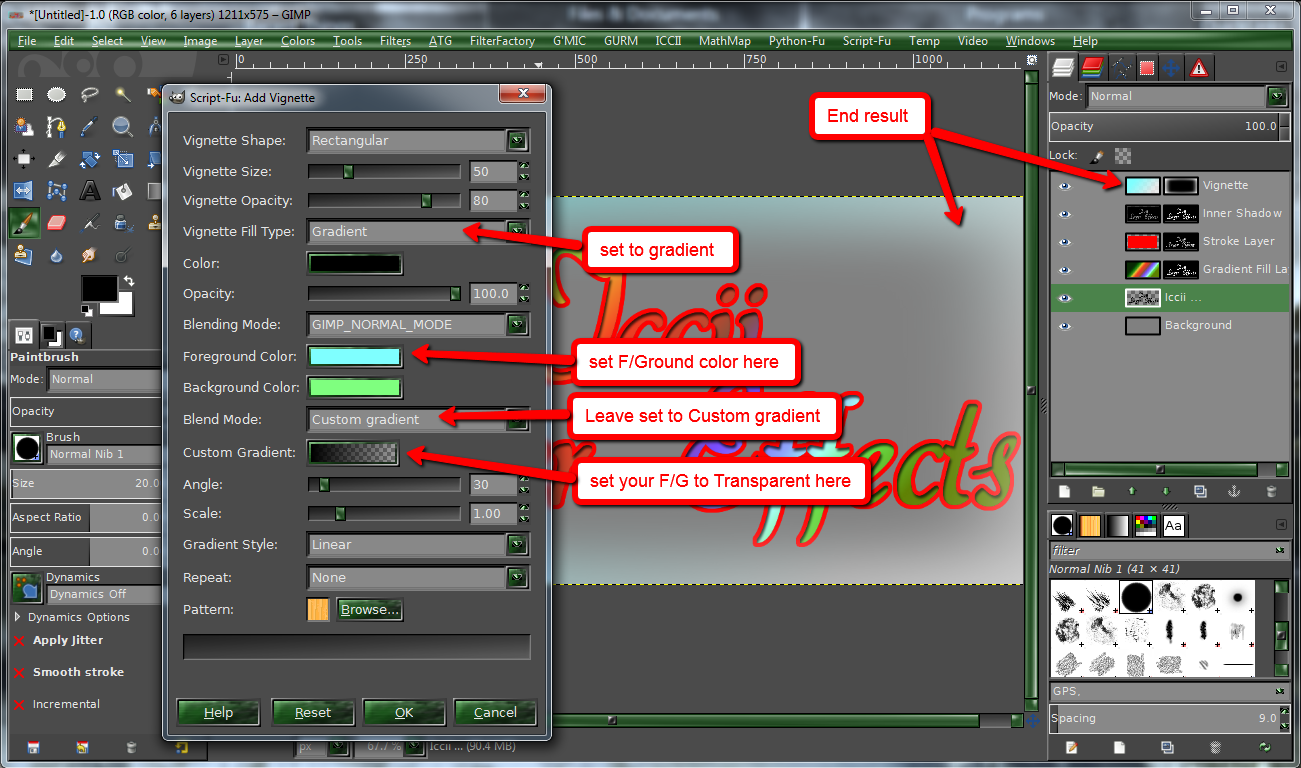
Gramg the latest version will show in the gradient overlay script that the default setting for gradient mode is now 'custom-mode'

Image

_________________
Image


Top
 Profile  
 
 Post subject: Re: Iccii Layer Effects updated with vignette and new location
PostPosted: Tue Mar 05, 2013 12:57 am  (#70) 
Offline
GimpChat Member
User avatar

Joined: Aug 10, 2012
Posts: 534
Location: Formerly From NYC, Now Living in Arizona
Graechan wrote:
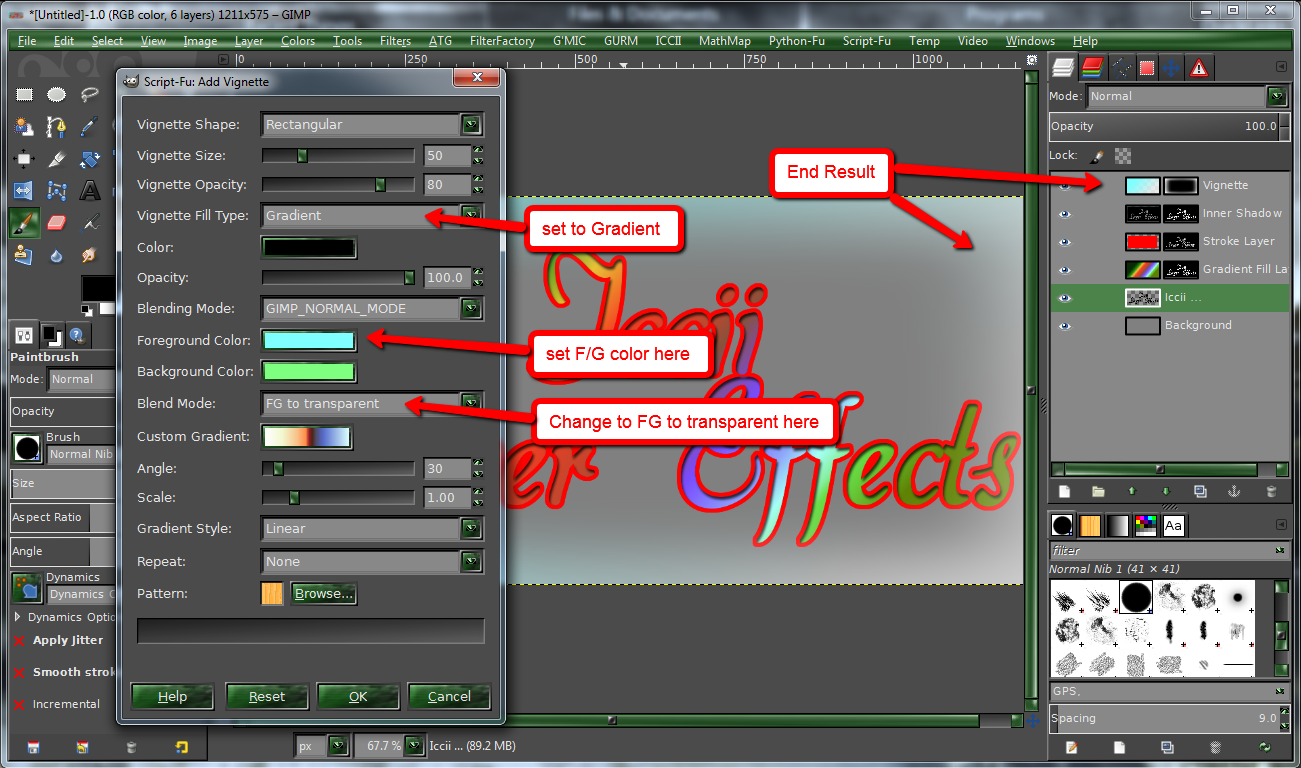
The Iccii files have just been updated again with a new location and a vignette option added see initial post


@ Graechan,

Yes thanks I downloaded it, just haven't installed it yet.

I'm using Gimp 2.6.11 and I have...

iccii-convolution-presets.scm
iccii-cross-light.scm
iccii-pastel-image.scm
iccii-soft-focus.scm
iccii-texturizer.scm
iccii-water-paint-effect.scm
iccii-wrap-effect.scm and now the new updated iccii-layer-effects.scm.

That's a whole lot of iccii's... :hehe

_________________
Image


Top
 Profile  
 
Display posts from previous:  Sort by  
Post new topic Reply to topic  [ 167 posts ]  Go to page Previous  1 ... 4, 5, 6, 7, 8, 9, 10 ... 17  Next

All times are UTC - 5 hours [ DST ]


Who is online

Users browsing this forum: Grue and 2 guests


You cannot post new topics in this forum
You cannot reply to topics in this forum
You cannot edit your posts in this forum
You cannot delete your posts in this forum
You cannot post attachments in this forum

Search for:
Jump to:  

* Login   * Subscribe to RSS Feed


Powered by phpBB © 2000, 2002, 2005, 2007 phpBB Group