It is currently Thu Jun 11, 2026 7:36 am


All times are UTC - 5 hours [ DST ]


Post new topic Reply to topic  [ 74 posts ]  Go to page 1, 2, 3, 4  Next
Author Message
 Post subject: Re: Water Drops Text Script
PostPosted: Sun Feb 05, 2012 2:39 pm  (#11) 
Offline
GimpChat Member
User avatar

Joined: Apr 08, 2010
Posts: 5420
Location: Northwest Ohio
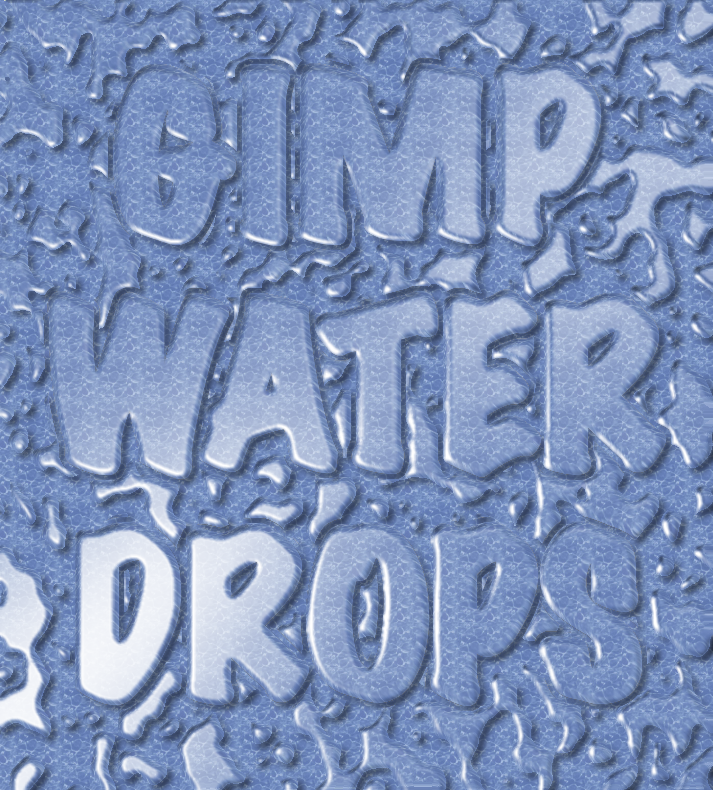
Found a wifi spot so had to try this out. Great script. Do you use iWarp after you run the script? Also, is there a way to change up the lighting a bit? One of the fonts I tried had really weird lighting.Image


Top
 Post subject: Re: Water Drops Text Script
PostPosted: Sun Feb 05, 2012 4:59 pm  (#12) 
Offline
Global Moderator
User avatar

Joined: May 16, 2010
Posts: 16023
Great!! I can't wait to try it out with IWarp added. :)

2-ton use the IWarp after running the script.

_________________
Image


Top
 Post subject: Re: Water Drops Text Script Rel2
PostPosted: Sun Feb 05, 2012 6:47 pm  (#13) 
Offline
Script Coder
User avatar

Joined: Feb 18, 2011
Posts: 4826
Location: Bendigo Vic. Australia
Rod iwarp is now an option on rel2 just posted

_________________
Image
No matter how much you push the envelope, it'll still be stationery.


Top
 Post subject: Re: Water Drops Text Script Rel2
PostPosted: Sun Feb 05, 2012 6:59 pm  (#14) 
Offline
Global Moderator
User avatar

Joined: May 16, 2010
Posts: 16023
Sweet!! :)

Thanks again Graechan.

_________________
Image


Top
 Post subject: Re: Water Drops Text Script Rel2
PostPosted: Sun Feb 05, 2012 9:27 pm  (#15) 
Offline
Script Coder
User avatar

Joined: Feb 18, 2011
Posts: 4826
Location: Bendigo Vic. Australia
2-ton I will add controls for the lighting in Rel3, just waiting to see if thats the only changes needed.As its no problem.

_________________
Image
No matter how much you push the envelope, it'll still be stationery.


Top
 Post subject: Re: Water Drops Text Script Rel2
PostPosted: Mon Feb 06, 2012 7:52 am  (#16) 
Offline
GimpChat Member
User avatar

Joined: Aug 24, 2011
Posts: 1785
Location: Dallas, TX
Graechan wrote:
2-ton I will add controls for the lighting in Rel3, just waiting to see if thats the only changes needed.As its no problem.


I am guessing that another script would be required for it to work on a selection rather than just text. It would be interesting, at least to me, to see the settings and step order in your procedure. I noticed that wider or heavier fonts result in a "flattened out" look to the text. If I knew what the settings were, perhaps it could be made a bit more intuitive or maybe interactive. Would it have to be written in python to get a preview so you could see the effect different settings make? I'm just wishin' here, not complaining. I love this script. I would like to eliminate the water drops and keep the layers. I tried to use Iwarp but it screwed up the background.

_________________
Image


Top
 Post subject: Re: Water Drops Text Script Rel2
PostPosted: Mon Feb 06, 2012 1:13 pm  (#17) 
Offline
GimpChat Founder
User avatar

Joined: May 22, 2008
Posts: 5241
Location: Gimpville
Looks good, Graechan!! :bigthup

_________________
“If you reach for the stars, you just might land on a decently sized hill.” - Stuart Hill


Top
 Post subject: Re: Water Drops Text Script Rel2
PostPosted: Mon Feb 06, 2012 4:51 pm  (#18) 
Offline
GimpChat Member
User avatar

Joined: Apr 08, 2010
Posts: 5420
Location: Northwest Ohio
This makes me want to know how to write scripts, but that will have to wait until I retire and have time to learn code.


Top
 Post subject: Re: Water Drops Text Script Rel2
PostPosted: Mon Feb 06, 2012 7:27 pm  (#19) 
Offline
Script Coder
User avatar

Joined: Feb 18, 2011
Posts: 4826
Location: Bendigo Vic. Australia
Draconian if you downloaded Rel2 and selected the iwarp box it will not affect the background. And the lighting settings would only give acces to the (glowing,brightness,shiny and polish) settings of the lighting affects plugin. But these settings are not easy to to use in a script-fu.

_________________
Image
No matter how much you push the envelope, it'll still be stationery.


Top
 Post subject: Re: Water Drops Text Script Rel2
PostPosted: Mon Feb 06, 2012 7:32 pm  (#20) 
Offline
GimpChat Member
User avatar

Joined: Aug 24, 2011
Posts: 1785
Location: Dallas, TX
Graechan wrote:
Draconian if you downloaded Rel2 and selected the iwarp box it will not affect the background. And the lighting settings would only give acces to the (glowing,brightness,shiny and polish) settings of the lighting affects plugin. But these settings are not easy to to use in a script-fu.


No big deal Graechan. You've done a marvelous job and I was just if'n and wish'n. thank you so much for all the work you put into this.

_________________
Image


Top
 Post subject: Re: Water Drops Text Script Rel2
PostPosted: Mon Feb 06, 2012 9:53 pm  (#21) 
Offline
Script Coder
User avatar

Joined: Feb 18, 2011
Posts: 4826
Location: Bendigo Vic. Australia
Drac I like feedback on scripts as it helps me to improve them.

_________________
Image
No matter how much you push the envelope, it'll still be stationery.


Top
 Post subject: Re: Water Drops Text Script Rel2
PostPosted: Mon Feb 06, 2012 11:08 pm  (#22) 
Offline
GimpChat Member
User avatar

Joined: Apr 09, 2011
Posts: 1764
Doesnt seem to be working for me. I cant see it anywhere.


Top
 Post subject: Re: Water Drops Text Script Rel2
PostPosted: Mon Feb 06, 2012 11:10 pm  (#23) 
Offline
GimpChat Member
User avatar

Joined: Apr 09, 2011
Posts: 1764
2 ton where is it showing in your GIMP?
because I cant see it


Top
 Post subject: Re: Water Drops Text Script Rel2
PostPosted: Tue Feb 07, 2012 2:03 am  (#24) 
Offline
Script Coder
User avatar

Joined: Feb 18, 2011
Posts: 4826
Location: Bendigo Vic. Australia
Pauline Please try under Sript-Fu>Logos

_________________
Image
No matter how much you push the envelope, it'll still be stationery.


Top
 Post subject: Re: Water Drops Text Script Rel2
PostPosted: Tue Feb 07, 2012 3:37 pm  (#25) 
Offline
GimpChat Member
User avatar

Joined: Apr 08, 2010
Posts: 5420
Location: Northwest Ohio
yes, Graechan is right...mine is under script-fu>logos
It's fun but it would be more fun if it could do selections and not just fonts...although a good set of dingbats would probably solve that little problem.


Top
 Post subject: Re: Water Drops Text Script Rel2
PostPosted: Tue Feb 07, 2012 8:42 pm  (#26) 
Offline
Script Coder
User avatar

Joined: Feb 18, 2011
Posts: 4826
Location: Bendigo Vic. Australia
2-ton wrote:
yes, Graechan is right...mine is under script-fu>logos
It's fun but it would be more fun if it could do selections and not just fonts...although a good set of dingbats would probably solve that little problem.

2-ton I'm a definate dingbat so try Rel 3 and look in Script-Fu > Selection Effects.

Image

Image

First image shows selection, second image is after script has ran. looks like the mother of sneezes.

_________________
Image
No matter how much you push the envelope, it'll still be stationery.


Top
 Post subject: Re: Water Drops Text Script Rel 3
PostPosted: Wed Feb 08, 2012 5:40 am  (#27) 
Offline
GimpChat Member
User avatar

Joined: Apr 07, 2010
Posts: 14182
very nice script graechan How do I make a selction the way you did on the girl?
Image

_________________
Image


Top
 Post subject: Re: Water Drops Text Script Rel 3
PostPosted: Wed Feb 08, 2012 1:21 pm  (#28) 
Offline
Global Moderator
User avatar

Joined: May 16, 2010
Posts: 16023
Hahaha! That was a good one Graechan! :)

_________________
Image


Top
 Post subject: Re: Water Drops Text Script Rel 3
PostPosted: Wed Feb 08, 2012 5:30 pm  (#29) 
Offline
Script Coder
User avatar

Joined: Feb 18, 2011
Posts: 4826
Location: Bendigo Vic. Australia
Molly Assuming you have installed Rel 3 just use any of your selection tools and run Waterdrops from Script-Fu/Selection Effects.

_________________
Image
No matter how much you push the envelope, it'll still be stationery.


Last edited by Graechan on Wed Feb 08, 2012 5:52 pm, edited 1 time in total.

Top
 Post subject: Re: Water Drops Text Script Rel 3
PostPosted: Wed Feb 08, 2012 5:47 pm  (#30) 
Offline
GimpChat Member
User avatar

Joined: Apr 07, 2010
Posts: 14182
thanks Graechan, but I don't have anything like that under script-fu-selection effects. I downloaded what thought is the latest version on the first page. Where is Rel 3? I opened an image and selected the girls head but the script isn't there where you said. I have it under script-fu > logos > water text but nothing else.

_________________
Image


Top
Post new topic Reply to topic  [ 74 posts ]  Go to page 1, 2, 3, 4  Next

All times are UTC - 5 hours [ DST ]


* Login  


Powered by phpBB3 © phpBB Group