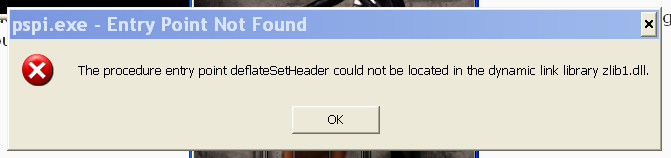
No need to apologize Partha i thank you for all your hard work compiling the programs.
I uninstalled it but ill fire it up again for your sake.

This time i copied all the gimp-2.7.2/bin dll files to C:\Windows\System folder.
Figured i wouldn't have to add a path that way.
**********************************************
Before i added the dll files to the system i got this -
30. perspective
31. noise
32. julian
33. juliascope
34. blur
35. gaussian_blur
36. radial_blur
37. pie
38. ngon
39. curl
40. rectangles
41. arch
42. tangent
43. square
44. rays
45. blade
46. secant2
47. twintrian
48. cross
49. disc2
50. super_shape
51. flower
52. conic
53. parabola
FLAM3 - cosmic recursive fractal flames version WIN-2.7.18.
This software is licensed under the GPL. You should have access
to the source code; see
http://www.fsf.org/licenses/gpl.html.
This is free software to render fractal flames as described on
http://flam3.com. Flam3-animate makes animations, and flam3-render
makes still images. Flam3-genome creates and manipulates genomes
(parameter sets). A C library is also installed.
Note: the following instructions are written for Linux users. Windows
users may have to install the cygwin package to get the "env"
command or set the envars in your windows command prompt manually.
That means instead of a command like
env dtime=5 prefix=foo. in=test.flame flam3-animate
say
set dtime=5
set prefix=foo.
set in=test.flame
flam3-animate
envar default meaning
===== ======= =======
prefix (empty) prefix names of output files with this string.
begin j time of first frame to render (j=first time specified in file) (ani
mate only)
end n-1 time of last frame to render (n=last time specified in the input fi
le) (animate only)
time NA time of first and last frame (ie do one frame) (animate only)
frame NA synonym for "time" (animate only)
in stdin name of input file
out NA name of output file (bad idea if rending more than one, use prefix
instead)
template NA apply defaults based on this genome (genome only)
dtime 1 time between frames (animate only)
fields 0 if 1 then render fields, ie odd scanlines at time+0.5
nstrips 1 number of strips, ie render fractions of a frame at once (render on
ly)
qs 1 quality scale, multiply quality of all frames by this
ss 1 size scale, multiply size (in pixels) of all frames by this
jpeg NA jpeg quality for compression, default is native jpeg default
format png jpg or ppm or png
pixel_aspect 1.0 aspect ratio of pixels (width over height), eg 0.90909 for NTSC
seed random integer seed for random numbers, defaults to time+pid
isaac_seed random character-based seed for iteration loop randomness, defaults to tim
e
nthreads 0 number of threads to use for render. default auto-detects.
verbose 0 if non-zero then print progress meter on stderr
bits 33 also 16, 32, or 64: sets bit-width of internal buffers (33 means 32
-bit floating-point)
bpc 8 bits per color channel: png supports 16, all others are 8 only (ren
der/animate)
image filename replace palette with png, jpg, or ppm image
use_vars -1 comma separated list of variation #'s to use when generating a rand
om flame (genome only)
dont_use_vars NA comma separated list of variation #'s to NOT use when generating a
random flame (genome only)
cross0 NA randomly select one genome from this file to genetically cross (gen
ome only)
cross1 NA with one genome from this file (genome only)
method NA method used for genetic cross: alternate, interpolate, or union. (g
enome only)
mutate NA randomly mutate a random genome from this file (genome only)
symmetry NA set symmetry of result. (genome only)
clone NA clone random flame in input (genome only)
clone_all NA clones all flames in file. useful for applying template to all fla
mes (genome only)
animate NA interpolates between all flames in a file, using times specified in
file (genome only)
sequence NA 360 degree rotation 'loops' times of each control point plus rotati
ng transitions (genome only)
loops NA number of times to rotate each control point in sequence (genome on
ly)
tries 50 number of tries to make to find a good genome. (genome only)
strip NA strip input, frame and nframes control which one. (genome only)
transparency 0 make bknd transparent, if format supports it (render/animate)
name_enable 0 use 'name' attr in <flame> to name image output if present (render
only)
nick "" nickname to use in <edit> tags / img comments
url "" url to use in <edit> tags / img comments
id "" ID to use in <edit> tags
comment "" comment string for <edit> tags (genome only)
use_mem auto floating point number of bytes of memory to use (render only)
write_genome 0 write out genome associated with center of motion blur window (anim
ate only)
noedits unset omit edit tags from output (genome only)
print_edit_depth 0 depth to truncate <edit> tag structure. 0 prints all <edit> tags (
genome only)
intpalette unset round palette entries for importing into older Apophysis versions (
genome only)
insert_palette unset insert the palette into the image.
enable_jpeg_comments 1 enables comments in the jpeg header (render and animate)
enable_png_comments 1 enables comments in the png header (render and animate)
for example:
env dtime=5 prefix=foo. in=test.flam3 flam3-animate
means to render every 5th frame of parameter file foo.flam3, and store
the results in files named foo.XXXX.jpg.
the flam3-convert program reads from stdin the old format created by
the GIMP and writes to stdout the new xml format.
the flam3-genome program creates random parameter files. it also mutates,
rotates, and interpolates existing parameter files. for example to
create 10 wholly new control points and render them at normal quality:
env template=vidres.flam3 repeat=10 flam3-genome > new.flam3
flam3-render < new.flam3
if you left out the "template=vidres.flam3" part then the size,
quality, etc parameters would be their default (small) values. you
can set the symmetry group:
env template=vidres.flam3 symmetry=3 flam3-genome > new3.flam3
env template=vidres.flam3 symmetry=-2 flam3-genome > new-2.flam3
flam3-render < new3.flam3
flam3-render < new-2.flam3
Mutation is done by giving an input flame file to alter:
env template=vidres.flam3 flam3-genome > parent.flam3
env prefix=parent. flam3-render < parent.flam3
env template=vidres.flam3 mutate=parent.flam3 repeat=10 flam3-genome > mutation.flam3
flam3-render < mutation.flam3
Normally one wouldn't use the same file for the template and the file
to mutate. Crossover is handled similarly:
env template=vidres.flam3 flam3-genome > parent0.flam3
env prefix=parent0. flam3-render < parent0.flam3
env template=vidres.flam3 flam3-genome > parent1.flam3
env prefix=parent1. flam3-render < parent1.flam3
env template=vidres.flam3 cross0=parent0.flam3 cross1=parent1.flam3 flam3-genome > crossove
r.flam3
flam3-render < crossover.flam3
flam3-genome has 3 ways to produce parameter files for animation in
the style of electric sheep. the highest level and most useful from
the command line is the sequence method. it takes a collection of
control points and makes an animation that has each flame do fractal
rotation for 360 degrees, then make a smooth transition to the next.
for example:
env sequence=test.flam3 nframes=20 flam3-genome > seq.flam3
flam3-animate < seq.flam3
creates and renders a 60 frame animation. there are two flames in
test.flam3, so the animation consists three stags: the first one
rotating, then a transition, then the second one rotating. each stage
has 20 frames as specified on the command line. if you want to
render only some fraction of a whole animation file, specify the begin
and end times:
env begin=20 end=40 flam3-animate < seq.flam3
the other two methods are harder to use becaues they produce file that
are only good for one frame of animation. the output consists of 3
control points, one for the time requested, one before and one after.
that allows proper motion blur. for example:
env template=vidres.flam3 flam3-genome > rotme.flam3
env rotate=rotme.flam3 frame=10 nframes=20 flam3-genome > rot10.flam3
env frame=10 flam3-animate < rot10.flam3
the file rot10.flam3 specifies the animation for just one frame, in
this case 10 out of 20 frames in the complete animation. C1
continuous electric sheep genetic crossfades are created like this:
env inter=test.flam3 frame=10 nframes=20 flam3-genome > inter10.flam3
env frame=10 flam3-animate < inter10.flam3
see
http://flam3.com/flame.pdf for descriptions & formulas, and
see
http://electricsheep.wikispaces.com/Variations for updates.
The complete list of variations:
0. linear
1. sinusoidal
2. spherical
3. swirl
4. horseshoe
5. polar
6. handkerchief
7. heart
8. disc
9. spiral
10. hyperbolic
11. diamond
12. ex
13. julia
14. bent
15. waves
16. fisheye
17. popcorn
18. exponential
19. power
20. cosine
21. rings
22. fan
23. blob
24. pdj
25. fan2
26. rings2
27. eyefish
28. bubble
29. cylinder
30. perspective
31. noise
32. julian
33. juliascope
34. blur
35. gaussian_blur
36. radial_blur
37. pie
38. ngon
39. curl
40. rectangles
41. arch
42. tangent
43. square
44. rays
45. blade
46. secant2
47. twintrian
48. cross
49. disc2
50. super_shape
51. flower
52. conic
53. parabola
GIMP-Error: Unable to run plug-in "fisheye.py"
(C:\Documents and Settings\Compaq_Owner.FAMILY-ROOM\.gimp-2.7\plug-ins\fisheye.py)
Failed to execute child process (No such file or directory)
GIMP-Error: Unable to run plug-in "file-ora.py"
(C:\Documents and Settings\Compaq_Owner.FAMILY-ROOM\.gimp-2.7\plug-ins\file-ora.py)
Failed to execute child process (No such file or directory)
GIMP-Error: Unable to run plug-in "file-openraster.py"
(C:\Documents and Settings\Compaq_Owner.FAMILY-ROOM\.gimp-2.7\plug-ins\file-openraster.py)
Failed to execute child process (No such file or directory)
GIMP-Error: Unable to run plug-in "feca_hdr.py"
(C:\Documents and Settings\Compaq_Owner.FAMILY-ROOM\.gimp-2.7\plug-ins\feca_hdr.py)
Failed to execute child process (No such file or directory)
GIMP-Error: Unable to run plug-in "FadingColorization.py"
(C:\Documents and Settings\Compaq_Owner.FAMILY-ROOM\.gimp-2.7\plug-ins\FadingColorization.py)
Failed to execute child process (No such file or directory)
GIMP-Error: Unable to run plug-in "ez-perspective.py"
(C:\Documents and Settings\Compaq_Owner.FAMILY-ROOM\.gimp-2.7\plug-ins\ez-perspective.py)
Failed to execute child process (No such file or directory)
GIMP-Error: Unable to run plug-in "Export_Layers_as_separate_PNGs.py"
(C:\Documents and Settings\Compaq_Owner.FAMILY-ROOM\.gimp-2.7\plug-ins\Export_Layers_as_separat
e_PNGs.py)
Failed to execute child process (No such file or directory)
GIMP-Error: Unable to run plug-in "export_as_svg-0.1.py"
(C:\Documents and Settings\Compaq_Owner.FAMILY-ROOM\.gimp-2.7\plug-ins\export_as_svg-0.1.py)
Failed to execute child process (No such file or directory)
GIMP-Error: Unable to run plug-in "Edit-Brushes-Tanda-v2.1.py"
(C:\Documents and Settings\Compaq_Owner.FAMILY-ROOM\.gimp-2.7\plug-ins\Edit-Brushes-Tanda-v2.1.
py)
Failed to execute child process (No such file or directory)
GIMP-Error: Unable to run plug-in "EasyZoneAdjustment.py"
(C:\Documents and Settings\Compaq_Owner.FAMILY-ROOM\.gimp-2.7\plug-ins\EasyZoneAdjustment.py)
Failed to execute child process (No such file or directory)
GIMP-Error: Unable to run plug-in "dramatic.py"
(C:\Documents and Settings\Compaq_Owner.FAMILY-ROOM\.gimp-2.7\plug-ins\dramatic.py)
Failed to execute child process (No such file or directory)
GIMP-Error: Unable to run plug-in "darkenframes_en.py"
(C:\Documents and Settings\Compaq_Owner.FAMILY-ROOM\.gimp-2.7\plug-ins\darkenframes_en.py)
Failed to execute child process (No such file or directory)
GIMP-Error: Unable to run plug-in "cubicpatterns.py"
(C:\Documents and Settings\Compaq_Owner.FAMILY-ROOM\.gimp-2.7\plug-ins\cubicpatterns.py)
Failed to execute child process (No such file or directory)
GIMP-Error: Unable to run plug-in "cssdev.py"
(C:\Documents and Settings\Compaq_Owner.FAMILY-ROOM\.gimp-2.7\plug-ins\cssdev.py)
Failed to execute child process (No such file or directory)
GIMP-Error: Unable to run plug-in "cross_process.py"
(C:\Documents and Settings\Compaq_Owner.FAMILY-ROOM\.gimp-2.7\plug-ins\cross_process.py)
Failed to execute child process (No such file or directory)
GIMP-Error: Unable to run plug-in "cross-stitch.py"
(C:\Documents and Settings\Compaq_Owner.FAMILY-ROOM\.gimp-2.7\plug-ins\cross-stitch.py)
Failed to execute child process (No such file or directory)
GIMP-Error: Unable to run plug-in "cropp_webpage.py"
(C:\Documents and Settings\Compaq_Owner.FAMILY-ROOM\.gimp-2.7\plug-ins\cropp_webpage.py)
Failed to execute child process (No such file or directory)
GIMP-Error: Unable to run plug-in "create_color_wheel.py"
(C:\Documents and Settings\Compaq_Owner.FAMILY-ROOM\.gimp-2.7\plug-ins\create_color_wheel.py)
Failed to execute child process (No such file or directory)
GIMP-Error: Unable to run plug-in "count_mosaic_tiles_02.py"
(C:\Documents and Settings\Compaq_Owner.FAMILY-ROOM\.gimp-2.7\plug-ins\count_mosaic_tiles_02.py
)
Failed to execute child process (No such file or directory)
GIMP-Error: Unable to run plug-in "contrast_mask.py"
(C:\Documents and Settings\Compaq_Owner.FAMILY-ROOM\.gimp-2.7\plug-ins\contrast_mask.py)
Failed to execute child process (No such file or directory)
GIMP-Error: Unable to run plug-in "ColourNegativeInverter.py"
(C:\Documents and Settings\Compaq_Owner.FAMILY-ROOM\.gimp-2.7\plug-ins\ColourNegativeInverter.p
y)
Failed to execute child process (No such file or directory)
GIMP-Error: Unable to run plug-in "color_vision_deficiency.py"
(C:\Documents and Settings\Compaq_Owner.FAMILY-ROOM\.gimp-2.7\plug-ins\color_vision_deficiency.
py)
Failed to execute child process (No such file or directory)
GIMP-Error: Unable to run plug-in "color_balance_2.py"
(C:\Documents and Settings\Compaq_Owner.FAMILY-ROOM\.gimp-2.7\plug-ins\color_balance_2.py)
Failed to execute child process (No such file or directory)
GIMP-Error: Unable to run plug-in "colorxhtml.py"
(C:\Documents and Settings\Compaq_Owner.FAMILY-ROOM\.gimp-2.7\plug-ins\colorxhtml.py)
Failed to execute child process (No such file or directory)
GIMP-Error: Unable to run plug-in "coloroffset.py"
(C:\Documents and Settings\Compaq_Owner.FAMILY-ROOM\.gimp-2.7\plug-ins\coloroffset.py)
Failed to execute child process (No such file or directory)
GIMP-Error: Unable to run plug-in "colorize_to_pngs-0.1.py"
(C:\Documents and Settings\Compaq_Owner.FAMILY-ROOM\.gimp-2.7\plug-ins\colorize_to_pngs-0.1.py)
Failed to execute child process (No such file or directory)
GIMP-Error: Unable to run plug-in "colorcontour.py"
(C:\Documents and Settings\Compaq_Owner.FAMILY-ROOM\.gimp-2.7\plug-ins\colorcontour.py)
Failed to execute child process (No such file or directory)
GIMP-Error: Unable to run plug-in "color-scheme-designer.py"
(C:\Documents and Settings\Compaq_Owner.FAMILY-ROOM\.gimp-2.7\plug-ins\color-scheme-designer.py
)
Failed to execute child process (No such file or directory)
GIMP-Error: Unable to run plug-in "ClippingDetector.py"
(C:\Documents and Settings\Compaq_Owner.FAMILY-ROOM\.gimp-2.7\plug-ins\ClippingDetector.py)
Failed to execute child process (No such file or directory)
GIMP-Error: Unable to run plug-in "CDlabel.py"
(C:\Documents and Settings\Compaq_Owner.FAMILY-ROOM\.gimp-2.7\plug-ins\CDlabel.py)
Failed to execute child process (No such file or directory)
GIMP-Error: Unable to run plug-in "calendar-en.py"
(C:\Documents and Settings\Compaq_Owner.FAMILY-ROOM\.gimp-2.7\plug-ins\calendar-en.py)
Failed to execute child process (No such file or directory)
GIMP-Error: Unable to run plug-in "CaCorrection.py"
(C:\Documents and Settings\Compaq_Owner.FAMILY-ROOM\.gimp-2.7\plug-ins\CaCorrection.py)
Failed to execute child process (No such file or directory)
GIMP-Error: Unable to run plug-in "border_layer.py"
(C:\Documents and Settings\Compaq_Owner.FAMILY-ROOM\.gimp-2.7\plug-ins\border_layer.py)
Failed to execute child process (No such file or directory)
GIMP-Error: Unable to run plug-in "Blurred_font_creator_by_MrEgo.py"
(C:\Documents and Settings\Compaq_Owner.FAMILY-ROOM\.gimp-2.7\plug-ins\Blurred_font_creator_by_
MrEgo.py)
Failed to execute child process (No such file or directory)
GIMP-Error: Unable to run plug-in "blobipy.py"
(C:\Documents and Settings\Compaq_Owner.FAMILY-ROOM\.gimp-2.7\plug-ins\blobipy.py)
Failed to execute child process (No such file or directory)
GIMP-Error: Unable to run plug-in "batchwork.py"
(C:\Documents and Settings\Compaq_Owner.FAMILY-ROOM\.gimp-2.7\plug-ins\batchwork.py)
Failed to execute child process (No such file or directory)
GIMP-Error: Unable to run plug-in "barrelcorrection.py"
(C:\Documents and Settings\Compaq_Owner.FAMILY-ROOM\.gimp-2.7\plug-ins\barrelcorrection.py)
Failed to execute child process (No such file or directory)
GIMP-Error: Unable to run plug-in "b&p_word_art_01_v1.0.py"
(C:\Documents and Settings\Compaq_Owner.FAMILY-ROOM\.gimp-2.7\plug-ins\b&p_word_art_01_v1.0.py)
Failed to execute child process (No such file or directory)
GIMP-Error: Unable to run plug-in "b&p_simple_btn_01.py"
(C:\Documents and Settings\Compaq_Owner.FAMILY-ROOM\.gimp-2.7\plug-ins\b&p_simple_btn_01.py)
Failed to execute child process (No such file or directory)
GIMP-Error: Unable to run plug-in "b&p_glossy_btn_02.py"
(C:\Documents and Settings\Compaq_Owner.FAMILY-ROOM\.gimp-2.7\plug-ins\b&p_glossy_btn_02.py)
Failed to execute child process (No such file or directory)
GIMP-Error: Unable to run plug-in "average_layer.py"
(C:\Documents and Settings\Compaq_Owner.FAMILY-ROOM\.gimp-2.7\plug-ins\average_layer.py)
Failed to execute child process (No such file or directory)
GIMP-Error: Unable to run plug-in "autosave.py"
(C:\Documents and Settings\Compaq_Owner.FAMILY-ROOM\.gimp-2.7\plug-ins\autosave.py)
Failed to execute child process (No such file or directory)
GIMP-Error: Unable to run plug-in "arclayer-0.3.py"
(C:\Documents and Settings\Compaq_Owner.FAMILY-ROOM\.gimp-2.7\plug-ins\arclayer-0.3.py)
Failed to execute child process (No such file or directory)
GIMP-Error: Unable to run plug-in "aquabutt-2.1.py"
(C:\Documents and Settings\Compaq_Owner.FAMILY-ROOM\.gimp-2.7\plug-ins\aquabutt-2.1.py)
Failed to execute child process (No such file or directory)
GIMP-Error: Unable to run plug-in "anitools.py"
(C:\Documents and Settings\Compaq_Owner.FAMILY-ROOM\.gimp-2.7\plug-ins\anitools.py)
Failed to execute child process (No such file or directory)
GIMP-Error: Unable to run plug-in "99483-phrase_brush.py"
(C:\Documents and Settings\Compaq_Owner.FAMILY-ROOM\.gimp-2.7\plug-ins\99483-phrase_brush.py)
Failed to execute child process (No such file or directory)
******************************************************
After adding the dll files to system folder -
(parameter sets). A C library is also installed.
Note: the following instructions are written for Linux users. Windows
users may have to install the cygwin package to get the "env"
command or set the envars in your windows command prompt manually.
That means instead of a command like
env dtime=5 prefix=foo. in=test.flame flam3-animate
say
set dtime=5
set prefix=foo.
set in=test.flame
flam3-animate
envar default meaning
===== ======= =======
prefix (empty) prefix names of output files with this string.
begin j time of first frame to render (j=first time specified in file) (ani
mate only)
end n-1 time of last frame to render (n=last time specified in the input fi
le) (animate only)
time NA time of first and last frame (ie do one frame) (animate only)
frame NA synonym for "time" (animate only)
in stdin name of input file
out NA name of output file (bad idea if rending more than one, use prefix
instead)
template NA apply defaults based on this genome (genome only)
dtime 1 time between frames (animate only)
fields 0 if 1 then render fields, ie odd scanlines at time+0.5
nstrips 1 number of strips, ie render fractions of a frame at once (render on
ly)
qs 1 quality scale, multiply quality of all frames by this
ss 1 size scale, multiply size (in pixels) of all frames by this
jpeg NA jpeg quality for compression, default is native jpeg default
format png jpg or ppm or png
pixel_aspect 1.0 aspect ratio of pixels (width over height), eg 0.90909 for NTSC
seed random integer seed for random numbers, defaults to time+pid
isaac_seed random character-based seed for iteration loop randomness, defaults to tim
e
nthreads 0 number of threads to use for render. default auto-detects.
verbose 0 if non-zero then print progress meter on stderr
bits 33 also 16, 32, or 64: sets bit-width of internal buffers (33 means 32
-bit floating-point)
bpc 8 bits per color channel: png supports 16, all others are 8 only (ren
der/animate)
image filename replace palette with png, jpg, or ppm image
use_vars -1 comma separated list of variation #'s to use when generating a rand
om flame (genome only)
dont_use_vars NA comma separated list of variation #'s to NOT use when generating a
random flame (genome only)
cross0 NA randomly select one genome from this file to genetically cross (gen
ome only)
cross1 NA with one genome from this file (genome only)
method NA method used for genetic cross: alternate, interpolate, or union. (g
enome only)
mutate NA randomly mutate a random genome from this file (genome only)
symmetry NA set symmetry of result. (genome only)
clone NA clone random flame in input (genome only)
clone_all NA clones all flames in file. useful for applying template to all fla
mes (genome only)
animate NA interpolates between all flames in a file, using times specified in
file (genome only)
sequence NA 360 degree rotation 'loops' times of each control point plus rotati
ng transitions (genome only)
loops NA number of times to rotate each control point in sequence (genome on
ly)
tries 50 number of tries to make to find a good genome. (genome only)
strip NA strip input, frame and nframes control which one. (genome only)
transparency 0 make bknd transparent, if format supports it (render/animate)
name_enable 0 use 'name' attr in <flame> to name image output if present (render
only)
nick "" nickname to use in <edit> tags / img comments
url "" url to use in <edit> tags / img comments
id "" ID to use in <edit> tags
comment "" comment string for <edit> tags (genome only)
use_mem auto floating point number of bytes of memory to use (render only)
write_genome 0 write out genome associated with center of motion blur window (anim
ate only)
noedits unset omit edit tags from output (genome only)
print_edit_depth 0 depth to truncate <edit> tag structure. 0 prints all <edit> tags (
genome only)
intpalette unset round palette entries for importing into older Apophysis versions (
genome only)
insert_palette unset insert the palette into the image.
enable_jpeg_comments 1 enables comments in the jpeg header (render and animate)
enable_png_comments 1 enables comments in the png header (render and animate)
for example:
env dtime=5 prefix=foo. in=test.flam3 flam3-animate
means to render every 5th frame of parameter file foo.flam3, and store
the results in files named foo.XXXX.jpg.
the flam3-convert program reads from stdin the old format created by
the GIMP and writes to stdout the new xml format.
the flam3-genome program creates random parameter files. it also mutates,
rotates, and interpolates existing parameter files. for example to
create 10 wholly new control points and render them at normal quality:
env template=vidres.flam3 repeat=10 flam3-genome > new.flam3
flam3-render < new.flam3
if you left out the "template=vidres.flam3" part then the size,
quality, etc parameters would be their default (small) values. you
can set the symmetry group:
env template=vidres.flam3 symmetry=3 flam3-genome > new3.flam3
env template=vidres.flam3 symmetry=-2 flam3-genome > new-2.flam3
flam3-render < new3.flam3
flam3-render < new-2.flam3
Mutation is done by giving an input flame file to alter:
env template=vidres.flam3 flam3-genome > parent.flam3
env prefix=parent. flam3-render < parent.flam3
env template=vidres.flam3 mutate=parent.flam3 repeat=10 flam3-genome > mutation.flam3
flam3-render < mutation.flam3
Normally one wouldn't use the same file for the template and the file
to mutate. Crossover is handled similarly:
env template=vidres.flam3 flam3-genome > parent0.flam3
env prefix=parent0. flam3-render < parent0.flam3
env template=vidres.flam3 flam3-genome > parent1.flam3
env prefix=parent1. flam3-render < parent1.flam3
env template=vidres.flam3 cross0=parent0.flam3 cross1=parent1.flam3 flam3-genome > crossove
r.flam3
flam3-render < crossover.flam3
flam3-genome has 3 ways to produce parameter files for animation in
the style of electric sheep. the highest level and most useful from
the command line is the sequence method. it takes a collection of
control points and makes an animation that has each flame do fractal
rotation for 360 degrees, then make a smooth transition to the next.
for example:
env sequence=test.flam3 nframes=20 flam3-genome > seq.flam3
flam3-animate < seq.flam3
creates and renders a 60 frame animation. there are two flames in
test.flam3, so the animation consists three stags: the first one
rotating, then a transition, then the second one rotating. each stage
has 20 frames as specified on the command line. if you want to
render only some fraction of a whole animation file, specify the begin
and end times:
env begin=20 end=40 flam3-animate < seq.flam3
the other two methods are harder to use becaues they produce file that
are only good for one frame of animation. the output consists of 3
control points, one for the time requested, one before and one after.
that allows proper motion blur. for example:
env template=vidres.flam3 flam3-genome > rotme.flam3
env rotate=rotme.flam3 frame=10 nframes=20 flam3-genome > rot10.flam3
env frame=10 flam3-animate < rot10.flam3
the file rot10.flam3 specifies the animation for just one frame, in
this case 10 out of 20 frames in the complete animation. C1
continuous electric sheep genetic crossfades are created like this:
env inter=test.flam3 frame=10 nframes=20 flam3-genome > inter10.flam3
env frame=10 flam3-animate < inter10.flam3
see
http://flam3.com/flame.pdf for descriptions & formulas, and
see
http://electricsheep.wikispaces.com/Variations for updates.
The complete list of variations:
0. linear
1. sinusoidal
2. spherical
3. swirl
4. horseshoe
5. polar
6. handkerchief
7. heart
8. disc
9. spiral
10. hyperbolic
11. diamond
12. ex
13. julia
14. bent
15. waves
16. fisheye
17. popcorn
18. exponential
19. power
20. cosine
21. rings
22. fan
23. blob
24. pdj
25. fan2
26. rings2
27. eyefish
28. bubble
29. cylinder
30. perspective
31. noise
32. julian
33. juliascope
34. blur
35. gaussian_blur
36. radial_blur
37. pie
38. ngon
39. curl
40. rectangles
41. arch
42. tangent
43. square
44. rays
45. blade
46. secant2
47. twintrian
48. cross
49. disc2
50. super_shape
51. flower
52. conic
53. parabola
GIMP-Error: Unable to run plug-in "fisheye.py"
(C:\Documents and Settings\Compaq_Owner.FAMILY-ROOM\.gimp-2.7\plug-ins\fisheye.py)
Failed to execute child process (No such file or directory)
GIMP-Error: Unable to run plug-in "file-ora.py"
(C:\Documents and Settings\Compaq_Owner.FAMILY-ROOM\.gimp-2.7\plug-ins\file-ora.py)
Failed to execute child process (No such file or directory)
GIMP-Error: Unable to run plug-in "file-openraster.py"
(C:\Documents and Settings\Compaq_Owner.FAMILY-ROOM\.gimp-2.7\plug-ins\file-openraster.py)
Failed to execute child process (No such file or directory)
GIMP-Error: Unable to run plug-in "feca_hdr.py"
(C:\Documents and Settings\Compaq_Owner.FAMILY-ROOM\.gimp-2.7\plug-ins\feca_hdr.py)
Failed to execute child process (No such file or directory)
GIMP-Error: Unable to run plug-in "FadingColorization.py"
(C:\Documents and Settings\Compaq_Owner.FAMILY-ROOM\.gimp-2.7\plug-ins\FadingColorization.py)
Failed to execute child process (No such file or directory)
GIMP-Error: Unable to run plug-in "ez-perspective.py"
(C:\Documents and Settings\Compaq_Owner.FAMILY-ROOM\.gimp-2.7\plug-ins\ez-perspective.py)
Failed to execute child process (No such file or directory)
GIMP-Error: Unable to run plug-in "Export_Layers_as_separate_PNGs.py"
(C:\Documents and Settings\Compaq_Owner.FAMILY-ROOM\.gimp-2.7\plug-ins\Export_Layers_as_separat
e_PNGs.py)
Failed to execute child process (No such file or directory)
GIMP-Error: Unable to run plug-in "export_as_svg-0.1.py"
(C:\Documents and Settings\Compaq_Owner.FAMILY-ROOM\.gimp-2.7\plug-ins\export_as_svg-0.1.py)
Failed to execute child process (No such file or directory)
GIMP-Error: Unable to run plug-in "Edit-Brushes-Tanda-v2.1.py"
(C:\Documents and Settings\Compaq_Owner.FAMILY-ROOM\.gimp-2.7\plug-ins\Edit-Brushes-Tanda-v2.1.
py)
Failed to execute child process (No such file or directory)
GIMP-Error: Unable to run plug-in "EasyZoneAdjustment.py"
(C:\Documents and Settings\Compaq_Owner.FAMILY-ROOM\.gimp-2.7\plug-ins\EasyZoneAdjustment.py)
Failed to execute child process (No such file or directory)
GIMP-Error: Unable to run plug-in "dramatic.py"
(C:\Documents and Settings\Compaq_Owner.FAMILY-ROOM\.gimp-2.7\plug-ins\dramatic.py)
Failed to execute child process (No such file or directory)
GIMP-Error: Unable to run plug-in "darkenframes_en.py"
(C:\Documents and Settings\Compaq_Owner.FAMILY-ROOM\.gimp-2.7\plug-ins\darkenframes_en.py)
Failed to execute child process (No such file or directory)
GIMP-Error: Unable to run plug-in "cubicpatterns.py"
(C:\Documents and Settings\Compaq_Owner.FAMILY-ROOM\.gimp-2.7\plug-ins\cubicpatterns.py)
Failed to execute child process (No such file or directory)
GIMP-Error: Unable to run plug-in "cssdev.py"
(C:\Documents and Settings\Compaq_Owner.FAMILY-ROOM\.gimp-2.7\plug-ins\cssdev.py)
Failed to execute child process (No such file or directory)
GIMP-Error: Unable to run plug-in "cross_process.py"
(C:\Documents and Settings\Compaq_Owner.FAMILY-ROOM\.gimp-2.7\plug-ins\cross_process.py)
Failed to execute child process (No such file or directory)
GIMP-Error: Unable to run plug-in "cross-stitch.py"
(C:\Documents and Settings\Compaq_Owner.FAMILY-ROOM\.gimp-2.7\plug-ins\cross-stitch.py)
Failed to execute child process (No such file or directory)
GIMP-Error: Unable to run plug-in "cropp_webpage.py"
(C:\Documents and Settings\Compaq_Owner.FAMILY-ROOM\.gimp-2.7\plug-ins\cropp_webpage.py)
Failed to execute child process (No such file or directory)
GIMP-Error: Unable to run plug-in "create_color_wheel.py"
(C:\Documents and Settings\Compaq_Owner.FAMILY-ROOM\.gimp-2.7\plug-ins\create_color_wheel.py)
Failed to execute child process (No such file or directory)
GIMP-Error: Unable to run plug-in "count_mosaic_tiles_02.py"
(C:\Documents and Settings\Compaq_Owner.FAMILY-ROOM\.gimp-2.7\plug-ins\count_mosaic_tiles_02.py
)
Failed to execute child process (No such file or directory)
GIMP-Error: Unable to run plug-in "contrast_mask.py"
(C:\Documents and Settings\Compaq_Owner.FAMILY-ROOM\.gimp-2.7\plug-ins\contrast_mask.py)
Failed to execute child process (No such file or directory)
GIMP-Error: Unable to run plug-in "ColourNegativeInverter.py"
(C:\Documents and Settings\Compaq_Owner.FAMILY-ROOM\.gimp-2.7\plug-ins\ColourNegativeInverter.p
y)
Failed to execute child process (No such file or directory)
GIMP-Error: Unable to run plug-in "color_vision_deficiency.py"
(C:\Documents and Settings\Compaq_Owner.FAMILY-ROOM\.gimp-2.7\plug-ins\color_vision_deficiency.
py)
Failed to execute child process (No such file or directory)
GIMP-Error: Unable to run plug-in "color_balance_2.py"
(C:\Documents and Settings\Compaq_Owner.FAMILY-ROOM\.gimp-2.7\plug-ins\color_balance_2.py)
Failed to execute child process (No such file or directory)
GIMP-Error: Unable to run plug-in "colorxhtml.py"
(C:\Documents and Settings\Compaq_Owner.FAMILY-ROOM\.gimp-2.7\plug-ins\colorxhtml.py)
Failed to execute child process (No such file or directory)
GIMP-Error: Unable to run plug-in "coloroffset.py"
(C:\Documents and Settings\Compaq_Owner.FAMILY-ROOM\.gimp-2.7\plug-ins\coloroffset.py)
Failed to execute child process (No such file or directory)
GIMP-Error: Unable to run plug-in "colorize_to_pngs-0.1.py"
(C:\Documents and Settings\Compaq_Owner.FAMILY-ROOM\.gimp-2.7\plug-ins\colorize_to_pngs-0.1.py)
Failed to execute child process (No such file or directory)
GIMP-Error: Unable to run plug-in "colorcontour.py"
(C:\Documents and Settings\Compaq_Owner.FAMILY-ROOM\.gimp-2.7\plug-ins\colorcontour.py)
Failed to execute child process (No such file or directory)
GIMP-Error: Unable to run plug-in "color-scheme-designer.py"
(C:\Documents and Settings\Compaq_Owner.FAMILY-ROOM\.gimp-2.7\plug-ins\color-scheme-designer.py
)
Failed to execute child process (No such file or directory)
GIMP-Error: Unable to run plug-in "ClippingDetector.py"
(C:\Documents and Settings\Compaq_Owner.FAMILY-ROOM\.gimp-2.7\plug-ins\ClippingDetector.py)
Failed to execute child process (No such file or directory)
GIMP-Error: Unable to run plug-in "CDlabel.py"
(C:\Documents and Settings\Compaq_Owner.FAMILY-ROOM\.gimp-2.7\plug-ins\CDlabel.py)
Failed to execute child process (No such file or directory)
GIMP-Error: Unable to run plug-in "calendar-en.py"
(C:\Documents and Settings\Compaq_Owner.FAMILY-ROOM\.gimp-2.7\plug-ins\calendar-en.py)
Failed to execute child process (No such file or directory)
GIMP-Error: Unable to run plug-in "CaCorrection.py"
(C:\Documents and Settings\Compaq_Owner.FAMILY-ROOM\.gimp-2.7\plug-ins\CaCorrection.py)
Failed to execute child process (No such file or directory)
GIMP-Error: Unable to run plug-in "border_layer.py"
(C:\Documents and Settings\Compaq_Owner.FAMILY-ROOM\.gimp-2.7\plug-ins\border_layer.py)
Failed to execute child process (No such file or directory)
GIMP-Error: Unable to run plug-in "Blurred_font_creator_by_MrEgo.py"
(C:\Documents and Settings\Compaq_Owner.FAMILY-ROOM\.gimp-2.7\plug-ins\Blurred_font_creator_by_
MrEgo.py)
Failed to execute child process (No such file or directory)
GIMP-Error: Unable to run plug-in "blobipy.py"
(C:\Documents and Settings\Compaq_Owner.FAMILY-ROOM\.gimp-2.7\plug-ins\blobipy.py)
Failed to execute child process (No such file or directory)
GIMP-Error: Unable to run plug-in "batchwork.py"
(C:\Documents and Settings\Compaq_Owner.FAMILY-ROOM\.gimp-2.7\plug-ins\batchwork.py)
Failed to execute child process (No such file or directory)
GIMP-Error: Unable to run plug-in "barrelcorrection.py"
(C:\Documents and Settings\Compaq_Owner.FAMILY-ROOM\.gimp-2.7\plug-ins\barrelcorrection.py)
Failed to execute child process (No such file or directory)
GIMP-Error: Unable to run plug-in "b&p_word_art_01_v1.0.py"
(C:\Documents and Settings\Compaq_Owner.FAMILY-ROOM\.gimp-2.7\plug-ins\b&p_word_art_01_v1.0.py)
Failed to execute child process (No such file or directory)
GIMP-Error: Unable to run plug-in "b&p_simple_btn_01.py"
(C:\Documents and Settings\Compaq_Owner.FAMILY-ROOM\.gimp-2.7\plug-ins\b&p_simple_btn_01.py)
Failed to execute child process (No such file or directory)
GIMP-Error: Unable to run plug-in "b&p_glossy_btn_02.py"
(C:\Documents and Settings\Compaq_Owner.FAMILY-ROOM\.gimp-2.7\plug-ins\b&p_glossy_btn_02.py)
Failed to execute child process (No such file or directory)
GIMP-Error: Unable to run plug-in "average_layer.py"
(C:\Documents and Settings\Compaq_Owner.FAMILY-ROOM\.gimp-2.7\plug-ins\average_layer.py)
Failed to execute child process (No such file or directory)
GIMP-Error: Unable to run plug-in "autosave.py"
(C:\Documents and Settings\Compaq_Owner.FAMILY-ROOM\.gimp-2.7\plug-ins\autosave.py)
Failed to execute child process (No such file or directory)
GIMP-Error: Unable to run plug-in "arclayer-0.3.py"
(C:\Documents and Settings\Compaq_Owner.FAMILY-ROOM\.gimp-2.7\plug-ins\arclayer-0.3.py)
Failed to execute child process (No such file or directory)
GIMP-Error: Unable to run plug-in "aquabutt-2.1.py"
(C:\Documents and Settings\Compaq_Owner.FAMILY-ROOM\.gimp-2.7\plug-ins\aquabutt-2.1.py)
Failed to execute child process (No such file or directory)
GIMP-Error: Unable to run plug-in "anitools.py"
(C:\Documents and Settings\Compaq_Owner.FAMILY-ROOM\.gimp-2.7\plug-ins\anitools.py)
Failed to execute child process (No such file or directory)
GIMP-Error: Unable to run plug-in "99483-phrase_brush.py"
(C:\Documents and Settings\Compaq_Owner.FAMILY-ROOM\.gimp-2.7\plug-ins\99483-phrase_brush.py)
Failed to execute child process (No such file or directory)
mapped '<Image>/File/New/FX-Foundry/Animation/Letter Drop' to '<Image>/File/Create/FX-Foundry/
Animation/Letter Drop'
mapped '<Toolbox>/Xtns/FX-Foundry/Logos/Dracula' to '<Image>/Filters/Extensions/FX-Foundry/Log
os/Dracula'
mapped '<Toolbox>/Xtns/FX-Foundry/Logos/Fiery Steel...' to '<Image>/Filters/Extensions/FX-Foun
dry/Logos/Fiery Steel...'
mapped '<Toolbox>/Xtns/FX-Foundry/Logos/Shrek Text...' to '<Image>/Filters/Extensions/FX-Found
ry/Logos/Shrek Text...'
mapped '<Toolbox>/Xtns/FX-Foundry/Render/Gloss-Orb-Dark' to '<Image>/Filters/Extensions/FX-Fou
ndry/Render/Gloss-Orb-Dark'
mapped '<Toolbox>/Xtns/FX-Foundry/Render/Gloss-Orb-Light' to '<Image>/Filters/Extensions/FX-Fo
undry/Render/Gloss-Orb-Light'
mapped '<Toolbox>/Xtns/Script-Fu/Animation/Letter Drop' to '<Image>/Filters/Extensions/Script-
Fu/Animation/Letter Drop'
mapped '<Toolbox>/Xtns/Web Page Themes/Aqua Pill/Aqua Button Text...' to '<Image>/File/Create/
Web Page Themes/Aqua Pill/Aqua Button Text...'
mapped '<Toolbox>/Xtns/Web Page Themes/Aqua Pill/Aqua Hrule...' to '<Image>/File/Create/Web Pa
ge Themes/Aqua Pill/Aqua Hrule...'
mapped '<Toolbox>/Xtns/Web Page Themes/Aqua Pill/Aqua Round...' to '<Image>/File/Create/Web Pa
ge Themes/Aqua Pill/Aqua Round...'
fp-script-fu-anim-path-stroke: image-type contains unrecognizable parts:'RGB* GRAYSCALE*'
mapped '<Toolbox>/File' to '<Image>/File'
mapped '<Toolbox>/File' to '<Image>/File'
mapped '<Toolbox>/Xtns/FX-Foundry/Logos' to '<Image>/Filters/Extensions/FX-Foundry/Logos'
mapped '<Toolbox>/Xtns/FX-Foundry/Logos' to '<Image>/Filters/Extensions/FX-Foundry/Logos'
mapped '<Toolbox>/Xtns/FX-Foundry/Logos' to '<Image>/Filters/Extensions/FX-Foundry/Logos'
mapped '<Toolbox>/Xtns/FX-Foundry/Logos' to '<Image>/Filters/Extensions/FX-Foundry/Logos'
mapped '<Toolbox>/Xtns/FX-Foundry/Logos' to '<Image>/Filters/Extensions/FX-Foundry/Logos'
mapped '<Toolbox>/Xtns/FX-Foundry/Render' to '<Image>/Filters/Extensions/FX-Foundry/Render'
mapped '<Toolbox>/Xtns/Logos' to '<Image>/File/Create/Logos'
mapped '<Toolbox>/Xtns/Misc' to '<Image>/File/Create/Misc'
mapped '<Toolbox>/Xtns/Script-Fu' to '<Image>/Filters/Extensions/Script-Fu'
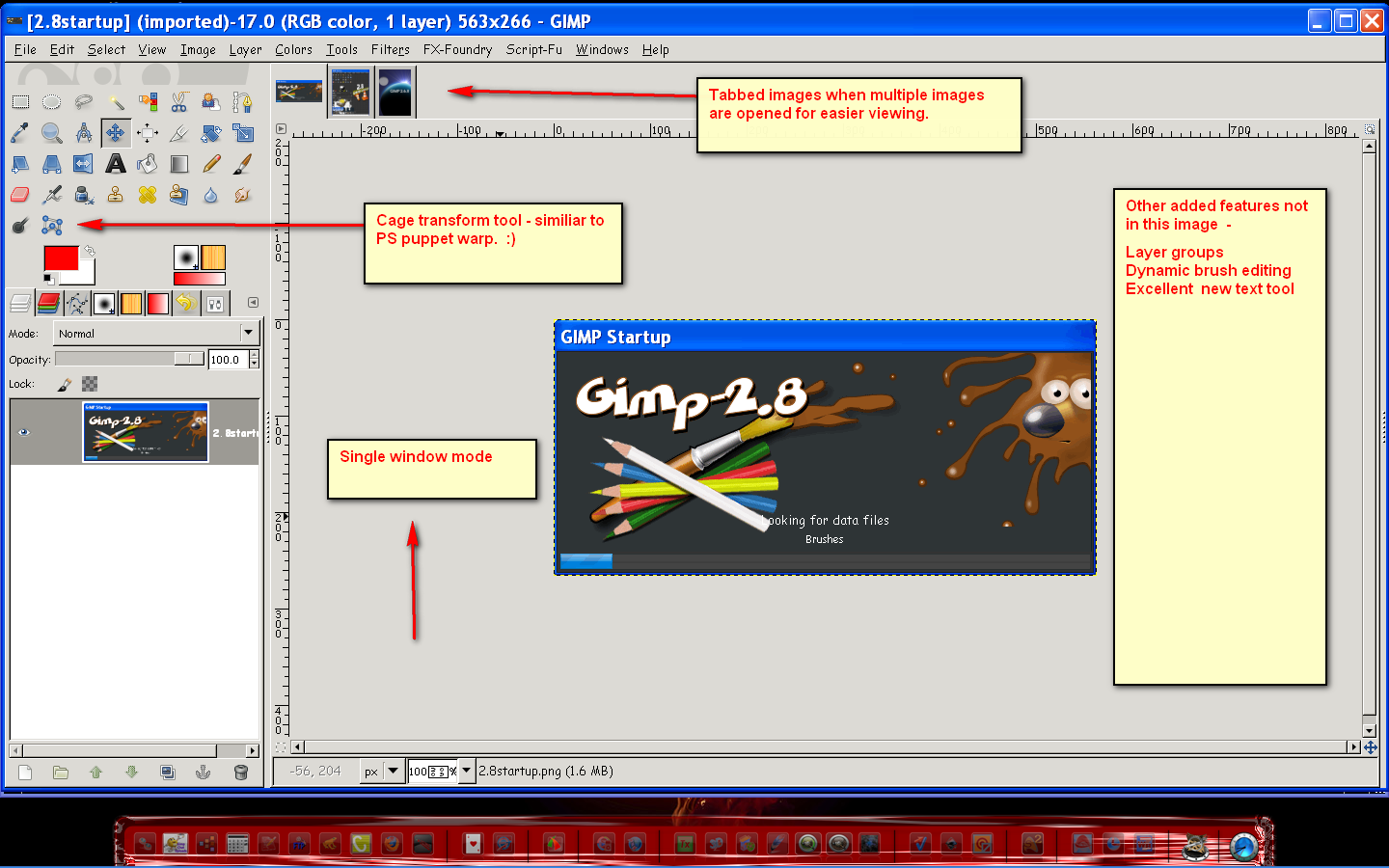
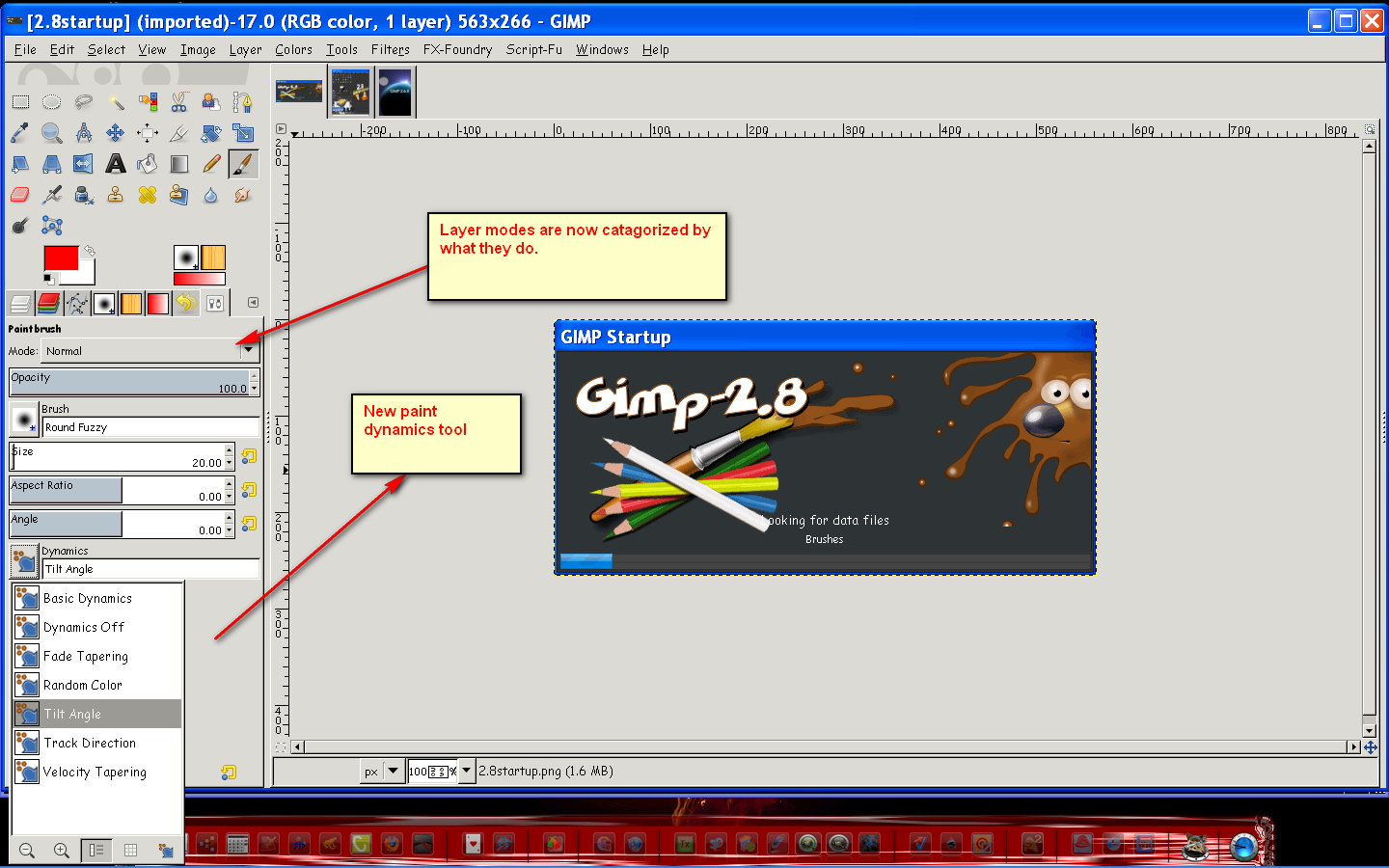
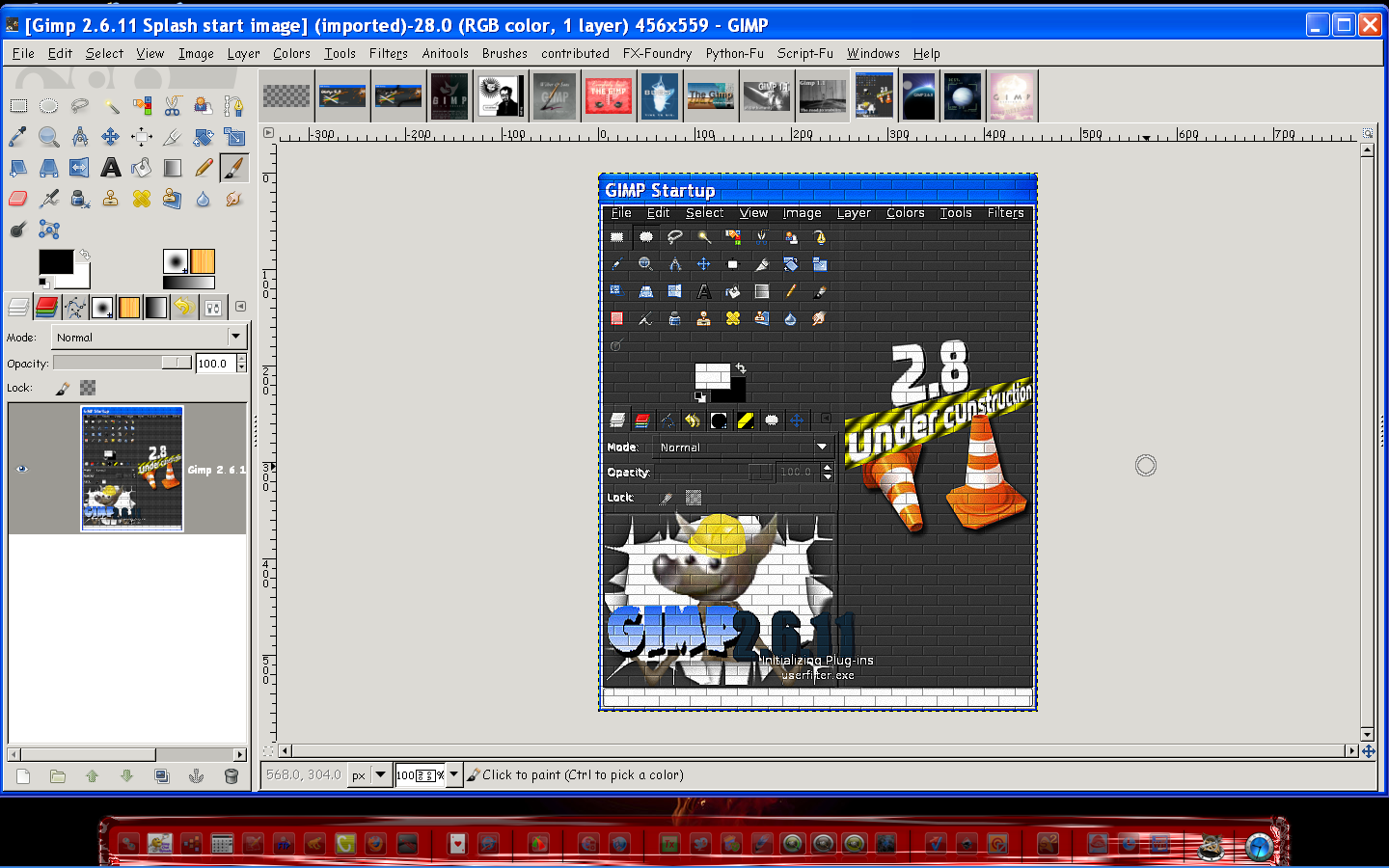
Congrats Partha!
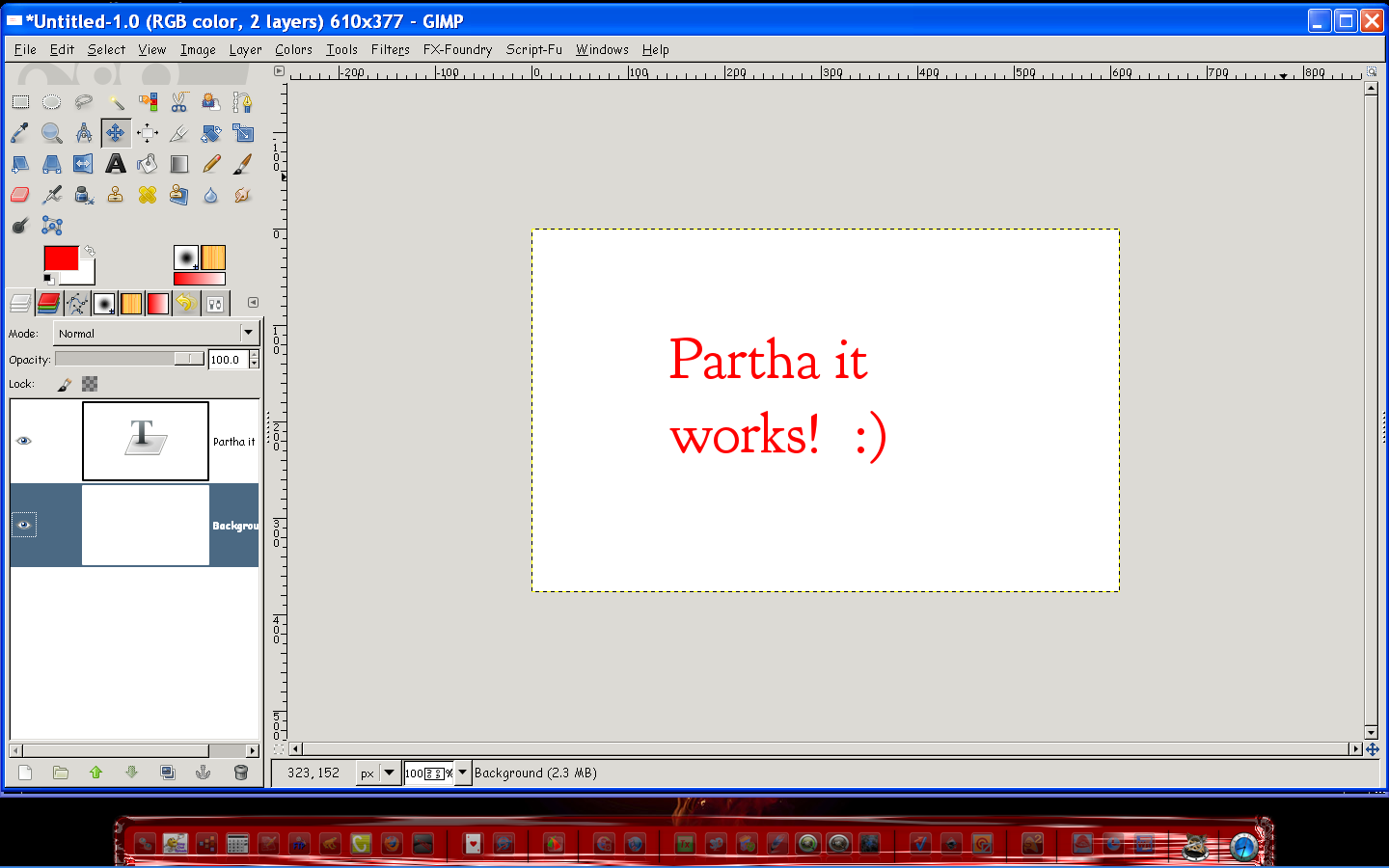
Now to get python running in it

 Login
 Register
 Tweets
 FAQ
 Advanced Search