It is currently Wed Nov 25, 2026 11:43 am


All times are UTC - 5 hours [ DST ]


Post new topic Reply to topic  [ 132 posts ]  Go to page Previous  1 ... 3, 4, 5, 6, 7  Next
Author Message
 Post subject: Re: Packing multiple sprites
PostPosted: Fri Aug 02, 2013 2:23 am  (#111) 
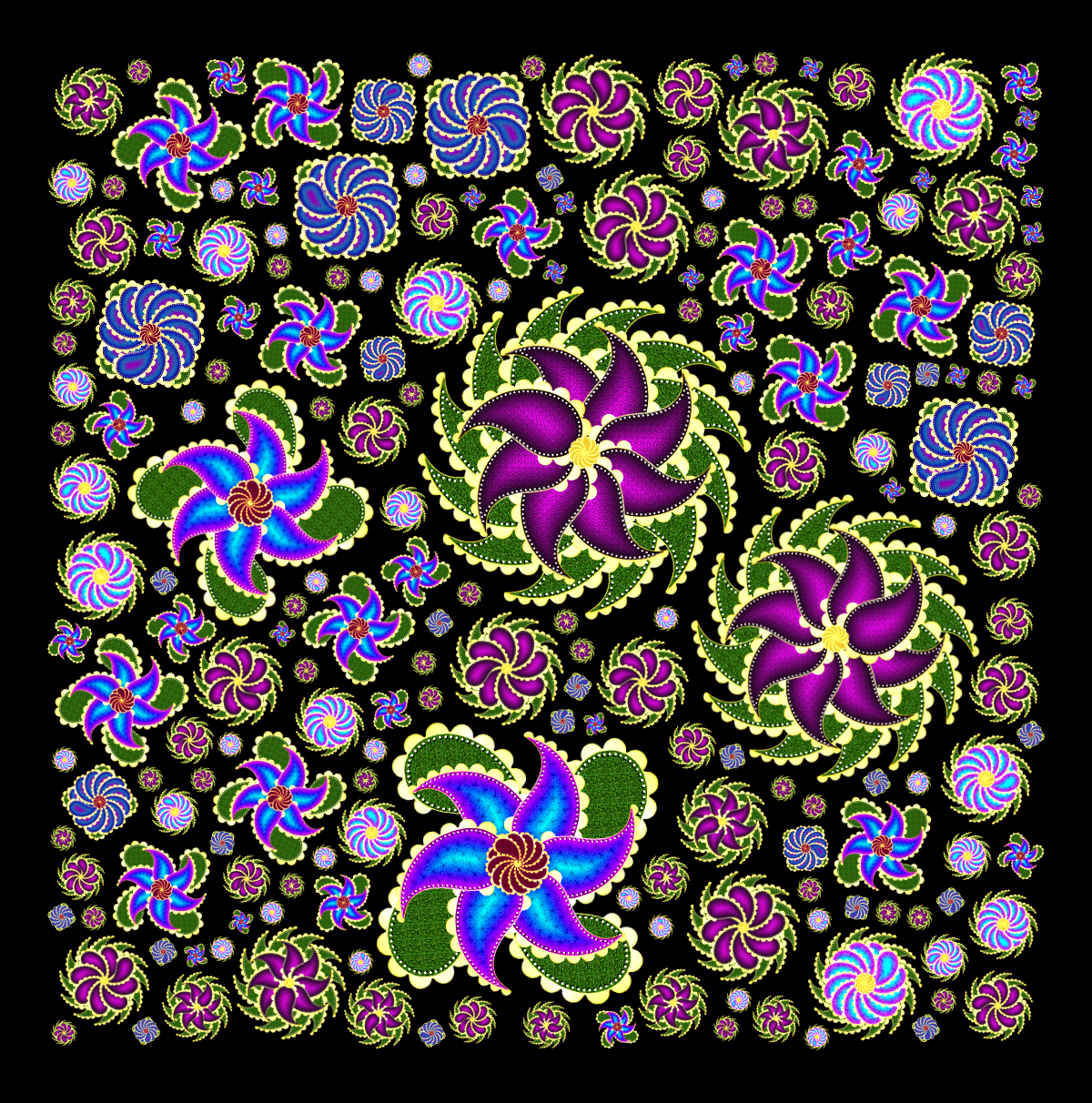
I made so many paisleys before deciding on the 'Raspberry tart' above,
I thought they would best be used to produce a field of paisley flowers...
Image


Top
 Post subject: Re: Packing multiple sprites
PostPosted: Fri Aug 02, 2013 2:33 am  (#112) 
Offline
GimpChat Member
User avatar

Joined: Aug 16, 2012
Posts: 4271
Location: Göteborg, Sweden
fluffybunny: :wow :wow :wow oooh, those paisleys are lovely!!! nice job, fluffy, you used the filter well :). i like that you make an asymmetrical edge on your paisleys, my old paisley quilt had paisley units like that.

_________________


Top
 Post subject: Re: Packing multiple sprites
PostPosted: Fri Aug 02, 2013 2:46 am  (#113) 
Offline
GimpChat Member
User avatar

Joined: Jan 20, 2013
Posts: 14835
Location: roma, italy
Amica Coniglietto,
I don't like paisleys, but you did a superb work! Congratulations...

_________________
"Where am I ?"


Top
 Post subject: Re: Packing multiple sprites
PostPosted: Fri Aug 02, 2013 7:22 am  (#114) 
Offline
GimpChat Member
User avatar

Joined: Sep 24, 2010
Posts: 12870
billps wrote:
This really is a very nice filter, I can think of so many uses for it already including photo collages.
:tyspin Ronounours.

[ Image ]

[ Image ]


Missed this one; excellent result. :)

_________________
Lyle

Psalm 109:8

Image


Top
 Post subject: Re: Packing multiple sprites
PostPosted: Fri Aug 02, 2013 7:23 am  (#115) 
Offline
GimpChat Member
User avatar

Joined: Sep 24, 2010
Posts: 12870
fluffybunny wrote:
I made so many paisleys before deciding on the 'Raspberry tart' above,
I thought they would best be used to produce a field of paisley flowers...
Image


Really like the tarts Fluffy. :)

_________________
Lyle

Psalm 109:8

Image


Top
 Post subject: Re: Packing multiple sprites
PostPosted: Fri Aug 02, 2013 5:06 pm  (#116) 
@Rod: Thanks, this filter looks very promising can't wait to try more...
@AnMal: I knew you would enjoy my paisleys. :)
@dinasset: thank you my friend.
@lylejk: Glad you like, don't eat too many at once now! ;)


Top
 Post subject: Re: Packing multiple sprites
PostPosted: Fri Aug 02, 2013 5:35 pm  (#117) 
Offline
GimpChat Member
User avatar

Joined: Jul 06, 2013
Posts: 2667
Location: California
I got the same error that 2-ton had received. I too have G'Mic already installed. I downloaded the 1.5.6.0+ version of it. I have windows 7. My questions are how do I add the newer updated version of it and where do I add it to? Should I delete the files I have & start over? I have them listed in my plug-ins folder which stores gimp 2.8.. under my name in my users folder on my c drive. The G'Mic app is telling me to update the information and I'm not sure how. The new folder I have on flash drive is labeled: gmic_gimp_1.5.6.1_beta_win_64.

Sorry if this seems confusing. If anyone can help me, PM me or reply to this message.

Edit: I reinstalled G'Mic & it works, but I don't see the sprites package listed. how can i add it to the version of gimp that I already have? I use Gimp 2.8 on 64 bit and Windows 7. I would really like some help please.

Thanks,

Mackenzie


Top
 Post subject: Re: Packing multiple sprites
PostPosted: Wed Aug 07, 2013 3:43 am  (#118) 
Help, I can't stop packing sprites... this is very addictive :)

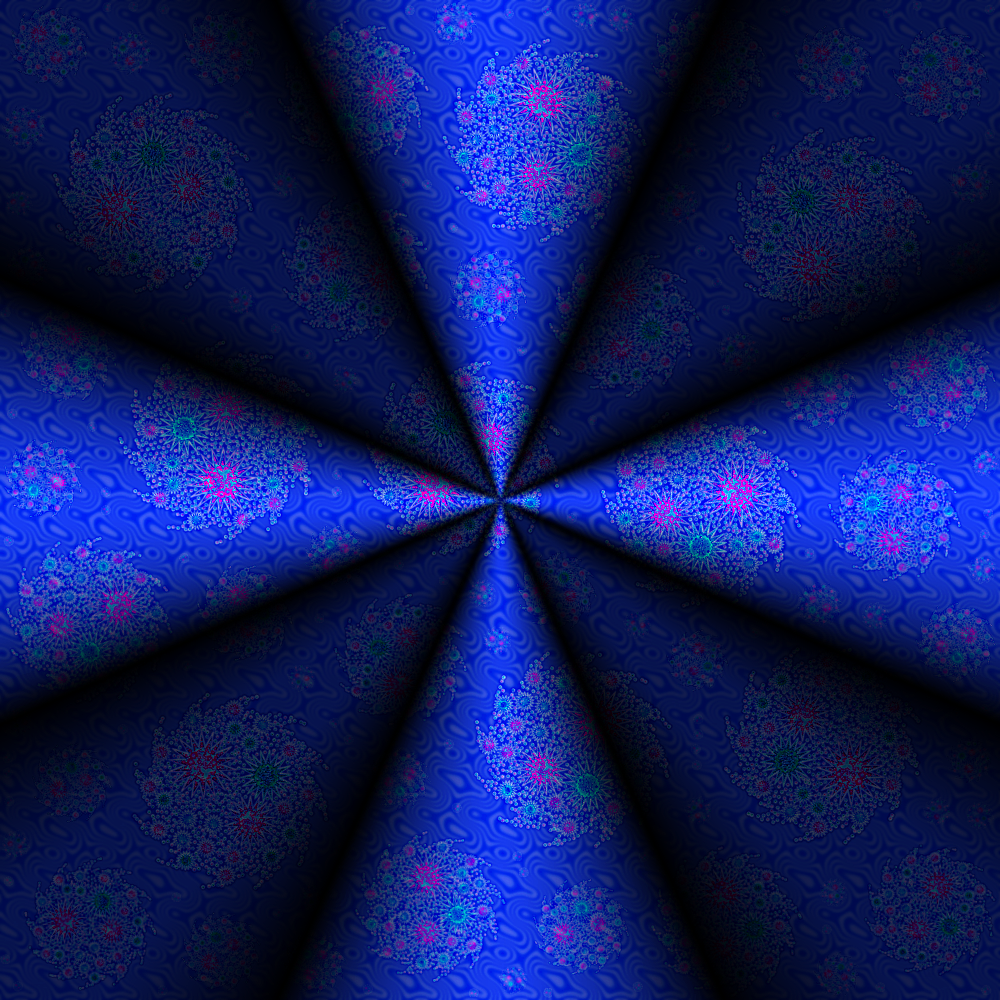
Today was about 'recursion'.
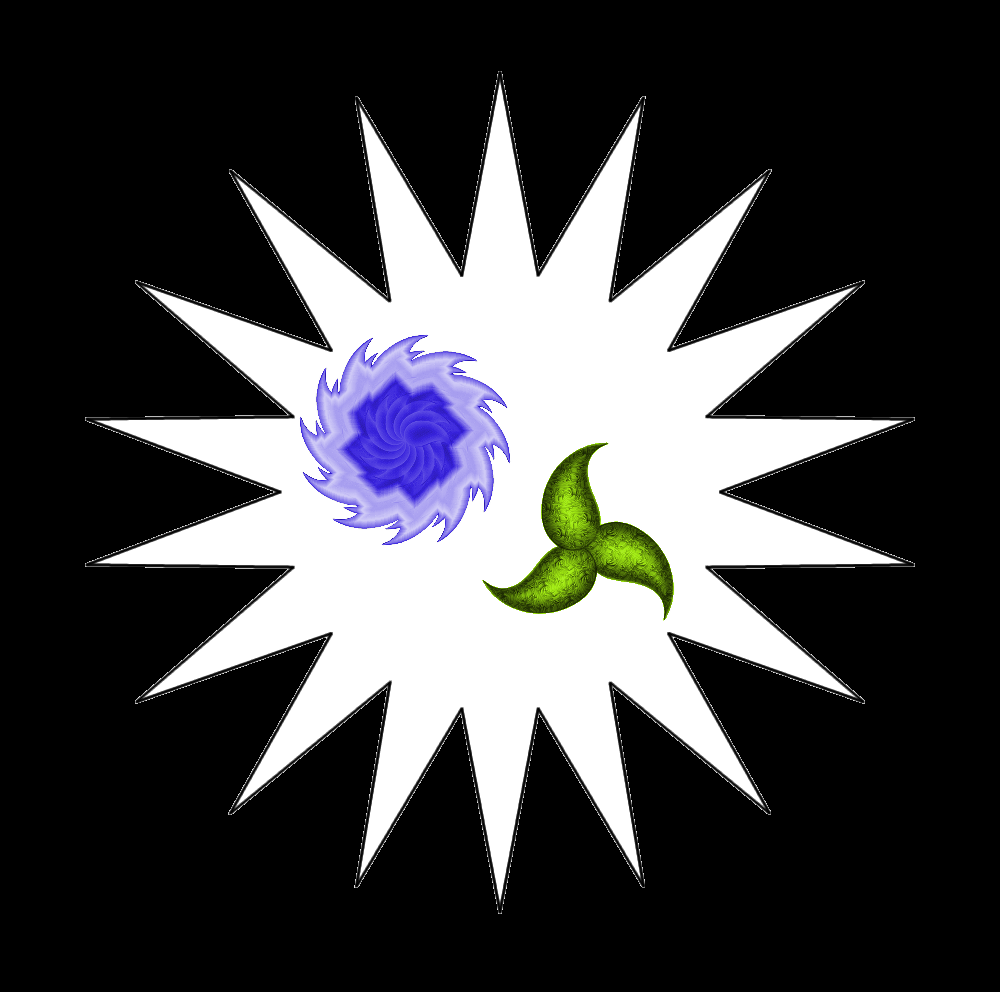
I wanted to experiment by creating some sprites and packing them into a shape using a mask.
Then taking the output and using it as sprites for another masked etc etc.

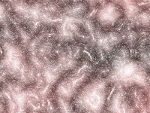
I started with my Paisley Flower brushes to make some sprites to be packed into a Star shaped mask.
Image
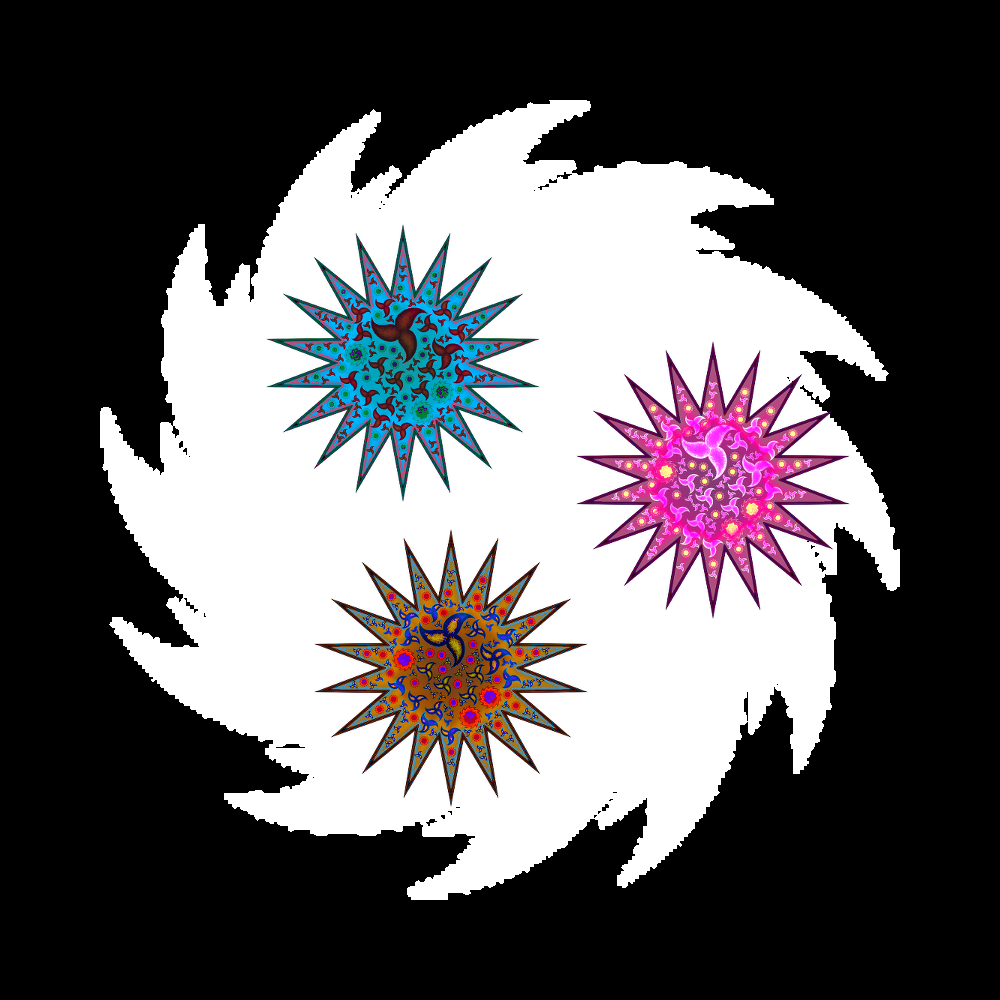
I then made those star shaped sprites into some more sprites for the next mask.
Image
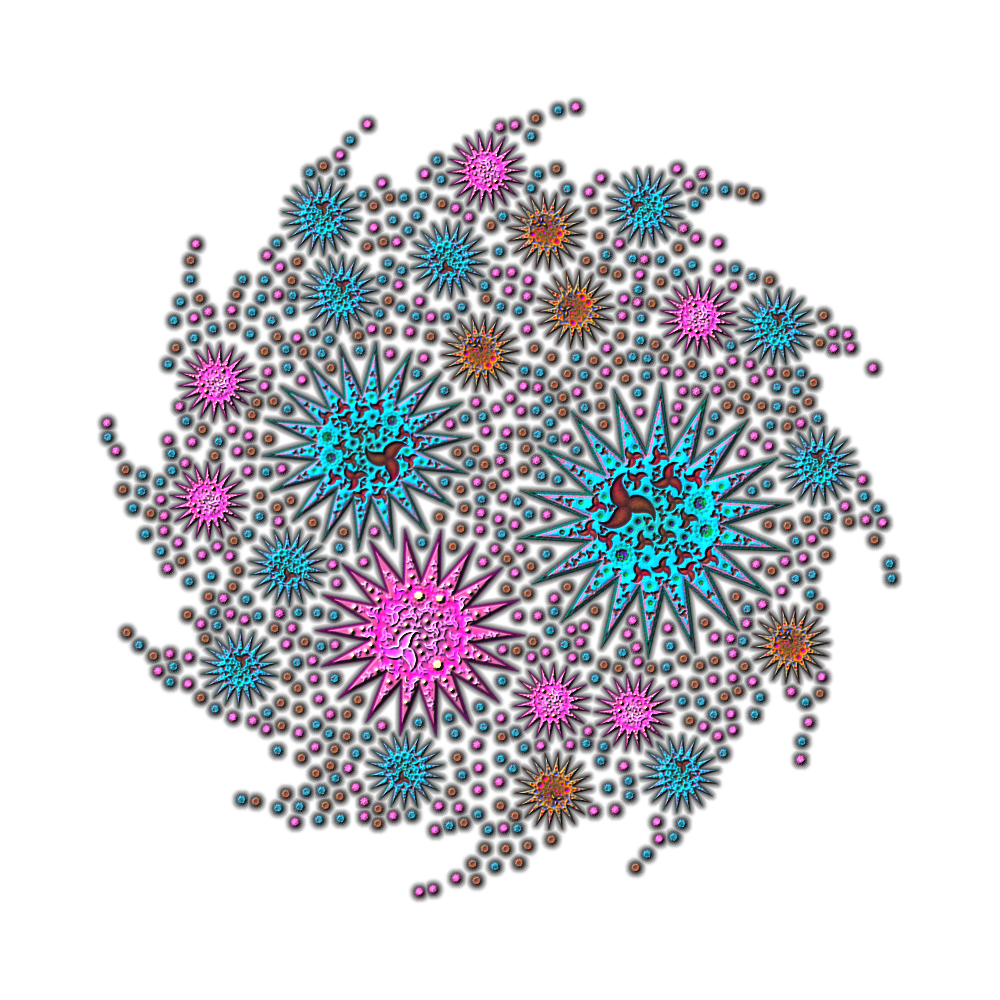
Then I used that output as the sprite for my final fabric pattern.
Image
Then used that to create this Satin fabric design.
Image
I hope you enjoy viewing ;)


Top
 Post subject: Re: Packing multiple sprites
PostPosted: Wed Aug 07, 2013 8:11 am  (#119) 
Offline
GimpChat Member
User avatar

Joined: Sep 24, 2010
Posts: 12870
Now you have the taste in my pretty much over 5 year quest to create jigsaw image mosaics Fluffy. lol

Packing objects to make found object mosaics is just way too cool. Next step; color aware. Not sure how this one will be pulled off though. I've been steering it sort of by separating light from dark; yin/yang or tao technique, but it would be astronomically better to be able to place similar colored object with similar brightness, but again, I asketh for too mucheth. lolol

:)

_________________
Lyle

Psalm 109:8

Image


Top
 Post subject: Re: Packing multiple sprites
PostPosted: Wed Aug 07, 2013 9:39 am  (#120) 
Offline
GimpChat Member

Joined: Apr 12, 2010
Posts: 5870
fluffybunny wrote:
Help, I can't stop packing sprites... this is very addictive :)

Today was about 'recursion'.
I wanted to experiment by creating some sprites and packing them into a shape using a mask.
Then taking the output and using it as sprites for another masked etc etc.

I started with my Paisley Flower brushes to make some sprites to be packed into a Star shaped mask.
Image
I then made those star shaped sprites into some more sprites for the next mask.
Image
Then I used that output as the sprite for my final fabric pattern.
Image
Then used that to create this Satin fabric design.
Image
I hope you enjoy viewing ;)


really a nice series, this filter looks very addictive ...

_________________
My 3D Gallery on Deviantart http://photocomix2.deviantart.com/
Main gallery http://www.flickriver.com/photos/photocomix-mandala/
Mandala and simmetry http://www.flickriver.com/photos/photocomix_mandala/

Image

Mrs Wilbress


Top
 Post subject: Re: Packing multiple sprites
PostPosted: Wed Aug 07, 2013 10:43 am  (#121) 
Offline
GimpChat Member
User avatar

Joined: Jul 06, 2013
Posts: 2667
Location: California
I would really like a reply to my post please. Either PM me or reply to my post. Thanks.


Top
 Post subject: Re: Packing multiple sprites
PostPosted: Wed Aug 07, 2013 11:17 am  (#122) 
Offline
GimpChat Member
User avatar

Joined: Aug 16, 2012
Posts: 4271
Location: Göteborg, Sweden
mackenzieh: hmm, since you have a newly installed g'mic version i don't think there should be any need for this, but you could at least try to click the refresh button in g'mic and then look under "patterns" again. there seems to be no reason why you shouldn't have the pack sprites filter.

_________________


Top
 Post subject: Re: Packing multiple sprites
PostPosted: Wed Aug 07, 2013 11:19 am  (#123) 
Offline
GimpChat Member
User avatar

Joined: Sep 24, 2010
Posts: 12870
mackenzieh wrote:
I would really like a reply to my post please. Either PM me or reply to my post. Thanks.


I'm using samj's current compile which is optimized for 64-bit GIMP mcakensieh. It says beta in the zip title, but inside, for the 64-bit directory anyway, it's the latest version released. :)

http://www.aljacom.com/~gmic/gmic-beta_ ... ts_win.zip

_________________
Lyle

Psalm 109:8

Image


Top
 Post subject: Re: Packing multiple sprites
PostPosted: Wed Aug 07, 2013 11:25 am  (#124) 
Offline
GimpChat Member
User avatar

Joined: Jul 06, 2013
Posts: 2667
Location: California
AnMal wrote:
mackenzieh: hmm, since you have a newly installed g'mic version i don't think there should be any need for this, but you could at least try to click the refresh button in g'mic and then look under "patterns" again. there seems to be no reason why you shouldn't have the pack sprites filter.


AnMal,

Thanks, I refreshed it and it came up.


Top
 Post subject: Re: Packing multiple sprites
PostPosted: Wed Aug 07, 2013 5:20 pm  (#125) 
@lylejk: Cheers :) Could you send me an example of the 'mosaic jigsaw' concept you quest?
@Photocomix: Glad you like and that you too, see the potential of this filter. ;)
@AnMal: Click the 'refresh', I thought of that but didn't think something so obvious needed to be said :hehe Looking forward to seeing your future 'packed sprites' mackenzieh ;) Glad you got it sorted out.


Top
 Post subject: Re: Packing multiple sprites
PostPosted: Wed Aug 07, 2013 7:32 pm  (#126) 
Offline
GimpChat Member
User avatar

Joined: Sep 24, 2010
Posts: 12870
Click link below for some JIM images fluffybunny.
http://www.cs.cornell.edu/People/jkim/JIMCD/Result.htm

Click the following link that explains it all: http://www.cs.cornell.edu/People/jkim/JIM/

_________________
Lyle

Psalm 109:8

Image


Top
 Post subject: Re: Packing multiple sprites
PostPosted: Wed Aug 07, 2013 8:35 pm  (#127) 
Offline
Global Moderator
User avatar

Joined: May 16, 2010
Posts: 16309
mackenzieh wrote:
I got the same error that 2-ton had received. I too have G'Mic already installed. I downloaded the 1.5.6.0+ version of it. I have windows 7. My questions are how do I add the newer updated version of it and where do I add it to? Should I delete the files I have & start over? I have them listed in my plug-ins folder which stores gimp 2.8.. under my name in my users folder on my c drive. The G'Mic app is telling me to update the information and I'm not sure how. The new folder I have on flash drive is labeled: gmic_gimp_1.5.6.1_beta_win_64.

Sorry if this seems confusing. If anyone can help me, PM me or reply to this message.

Edit: I reinstalled G'Mic & it works, but I don't see the sprites package listed. how can i add it to the version of gimp that I already have? I use Gimp 2.8 on 64 bit and Windows 7. I would really like some help please.

Thanks,

Mackenzie

If you are using MAC you need to wait for a MAC user to see your post or you can PM 2-ton to see if she knows how to update GMIC for MAC. :)
I use Vista and have no idea how to update GMIC in MAC systems. Be patient and someone will help you.
Alternatively you can ask partha at partha.com (use the email contact form on the home page). Or PM him here at Gimp Chat. He knows a lot about Mac builds for GMIC and GIMP.
Hope that helps.

_________________
Image


Top
 Post subject: Re: Packing multiple sprites
PostPosted: Wed Aug 07, 2013 8:48 pm  (#128) 
Offline
GimpChat Member
User avatar

Joined: Apr 08, 2010
Posts: 5420
Location: Northwest Ohio
Radar...I heard my name, lol.
I haven't installed gmic on a mac in a while and have forgotten, but I am pretty sure you have to have a vmic that is built for mac and just pop it into the plug ins folder. I have been using Parth's McGimp and that has a native gmic built right into it already.


Top
 Post subject: Re: Packing multiple sprites
PostPosted: Wed Aug 07, 2013 9:24 pm  (#129) 
Offline
GimpChat Member
User avatar

Joined: Jul 06, 2013
Posts: 2667
Location: California
2-ton wrote:
Radar...I heard my name, lol.
I haven't installed gmic on a mac in a while and have forgotten, but I am pretty sure you have to have a vmic that is built for mac and just pop it into the plug ins folder. I have been using Parth's McGimp and that has a native gmic built right into it already.


lol! It was me, but I figured it out :)


Top
 Post subject: Re: Packing multiple sprites
PostPosted: Wed Aug 07, 2013 9:25 pm  (#130) 
Offline
Global Moderator
User avatar

Joined: May 16, 2010
Posts: 16309
Thank you 2-ton. :)

_________________
Image


Top
Post new topic Reply to topic  [ 132 posts ]  Go to page Previous  1 ... 3, 4, 5, 6, 7  Next

All times are UTC - 5 hours [ DST ]


* Login  


Powered by phpBB3 © phpBB Group