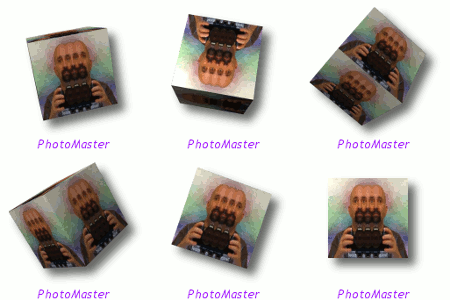
Gimp Sharp is a package of filters from this source. 0.16 just came out for Linux only no windows yet =\
http://sourceforge.net/projects/gimp-sharp/files/If you use Linux dl the package and compile it.
http://download942.mediafire.com/91rcqs ... .16.tar.gzIf you use windows dl the 0.15.
The windows binary can be downloaded here.
http://download572.mediafire.com/rc9vbm ... mp_2.4.exeHomepage
http://gimp-sharp.sourceforge.net/screenshots.htmlThe action pack zip file can be downloaded here
http://iweb.dl.sourceforge.net/project/ ... Set-10.zip1) make sure you go into your gimp programs bin folder and change the gimp-2.6 to gimp-2.4, and the gimp-console-2.6 into gimp-console-2.4 (windows only), the new 0.16 version installs correctly into 2.6
for Linux users from what i hear.
Windows will auto install into the correct folder.
IMPORTANT! ... make sure to change the names of the gimp-console-2.4 and gimp-2.4 back to 2.6 before you open Gimp and run it.
After you rename the files back to their original names, start Gimp and look in Filters for most of the new filters. (they will have little images next to them), so they should be easy to find.One of those new Filters is named Photo shop Actions. To use it to play ATN files from Photo-shop you need to place a few ATN files in your scripts folder.
Try running 5 at first if that works add a few more.It seems to work fine for at least 10 loaded ATN files for 2.6.10 if you have an new image.If you try running it without a drawable it crashes, well it does for me anyways.
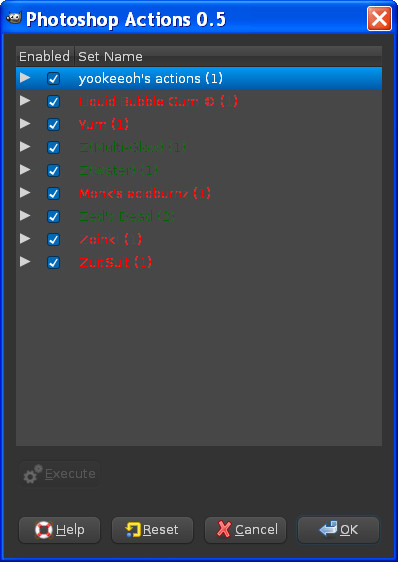
Another thing about the ATN files is the plug-in will show those with effects Gimp doesnt have in red text in the list.The ones in green text will run pretty fine. =)
A image of the dialog window for ps actions filter
The down-loadable ATN zip file is supposed to have all working ATN files so have fun!
 Login
Login Register
 Tweets
 FAQ
FAQ Advanced Search